

Are Rechargeable Under Cabinet Lights Practical for Daily Kitchen Use? Charging, Runtime and Power Choices
Are Rechargeable Under-Cabinet Lights Practical for Daily Kitchen Use?
Rechargeable under-cabinet lights are practical for daily use when the illuminated zone is limited, the light is easy to remove or reach, and the household accepts a repeatable charging routine. They are especially useful for a finished kitchen, rental, pantry, or isolated counter where adding power would create more disruption than the dark zone justifies.
They become a poor fit when the main worktop stays illuminated through long cooking sessions, several fixtures must run together, or the light is difficult to remove. In those situations, plug-in or hardwired lighting usually provides easier everyday service.
The useful question is not simply “How many hours does the battery last?” A light used for thirty seconds when a pantry door opens creates a very different charging routine from the same light left on for an hour of meal preparation. Your daily on-time, brightness, control mode, fixture count, and charging access matter more than a headline runtime number.
Battery power is a strong fit when
- the light turns on only for short visits;
- new wiring is unavailable, unwanted, or not renter-friendly;
- the light is magnetic or otherwise easy to remove;
- a nearby charging point already fits your routine; and
- you value flexible placement more than continuous output.
Choose another power source when
- the light will stay on for long daily sessions;
- several fixtures would need separate charging;
- the mounting point is hard to reach;
- consistent brightness matters throughout the session; or
- forgetting to recharge would leave an important task area dark.
Daily-Use Pros and Cons of Battery-Operated Under-Cabinet Lighting
Advantages
- No new electrical wiring: many models attach with magnets, adhesive plates, or simple brackets and do not need a new outlet at the fixture.
- Flexible placement: a cordless light can serve an isolated cabinet, pantry shelf, wardrobe, rental kitchen, or other location that is difficult to reach with a cable.
- Easy to reposition: removable models let you test a location before committing or move the light as storage needs change.
- Useful automatic controls: motion or door-triggered operation can provide light only when someone is using the space.
- Low-disruption installation: battery lights avoid opening walls or routing visible power cords, which can be valuable even when the fixture itself costs more than a basic wired light.
Disadvantages
- Charging or battery changes become a household task: one light may be easy to maintain; six separate lights can become a recurring chore.
- Runtime changes with use: high brightness, manual always-on operation, frequent triggering, and longer visits all consume more energy.
- Brightness may fall before the light stops: some products can look dimmer as the battery runs down, so the practical recharge point may arrive before a complete shutdown.
- Long sessions expose the trade-off: battery power is convenient because it is cordless, but continuous task lighting asks much more from the battery than brief pantry or wardrobe visits.
- Built-in batteries eventually age: if the battery is not user-replaceable, the whole light may need replacement when it no longer holds a useful charge.
- Adhesive and access still matter: “no wiring” does not mean “no planning.” The mounting surface must hold the light, and you must be able to remove or charge it comfortably.
How Long Does a Battery-Operated Under-Cabinet Light Last?
There is no honest universal runtime for battery cabinet lights. Battery size alone does not tell you how long a finished light will run. LED count, brightness, control electronics, sensor behavior, temperature, battery age, and the way the manufacturer tested the product all affect the result.
A more useful question is: How many minutes will this light be on during a normal day, and how inconvenient will charging be?
Estimate your daily on-time
For one day, add the time from short automatic visits and longer manual sessions:
Daily on-time = number of activations × average time per activation + manual-on time
| Example use pattern | Example daily demand | What it suggests |
|---|---|---|
| Pantry visited 6 times for about 30 seconds | About 3 minutes of light per day | A motion light can be convenient because each visit is brief. |
| Kitchen prep twice a day for about 45 minutes | About 90 minutes of light per day | Charging will be much more frequent; compare plug-in power. |
| Display shelves illuminated for 4 hours each evening | About 240 minutes of light per day | Continuous powered lighting is normally the easier long-term choice. |
These are usage examples, not product runtime promises. Count your own visits or sessions for two or three typical days. That quick check is more useful than choosing a light from a best-case runtime claim that may have been measured at the lowest brightness.
How to read a runtime claim
- Look for the tested mode: was the figure measured in continuous-on or motion mode?
- Look for the brightness level: a maximum figure at the dimmest setting does not predict high-brightness task use.
- Separate runtime from standby time: “lasts for months” may describe occasional sensor use, not months of continuous light.
- Check whether the claim applies to your selected size: different bar lengths may use different batteries or LED loads.
- Prefer a range or test conditions over one unexplained number: without conditions, treat the figure as a rough comparison only.
How Controls Change Charging Frequency
The right control can reduce unnecessary on-time, but only when it matches the space. Choose the behavior you actually want rather than assuming every sensor mode saves the same amount of battery.
| Control mode | Best fit | Charging implication |
|---|---|---|
| Night-only motion | Pantries, wardrobes, and routes that only need help in low light | Avoids daytime activations, but may not turn on when the room is already bright. |
| All-day motion | Deep cabinets where the interior stays dark at any time | Convenient, but frequent passersby or a poorly aimed sensor can create extra activations. |
| Auto-off motion or door trigger | Short visits where people may forget to switch the light off | Limits accidental on-time; confirm the delay is long enough for the task. |
| Manual or always-on | Meal prep, desk work, displays, or any activity needing uninterrupted light | Gives predictable control but can use the charge quickly during long sessions. |
| Timer | Decorative shelves or short evening scenes | Prevents lights being left on indefinitely, but the selected timer still adds daily on-time. |
Brightness matters too. Use the lowest level that still makes the task comfortable, but do not sacrifice useful visibility just to stretch the battery. If the light must stay dim to avoid constant charging, the power source is probably wrong for the job.
Rechargeable Light Bars, Puck Lights, or Replaceable Batteries?
Rechargeable light bars
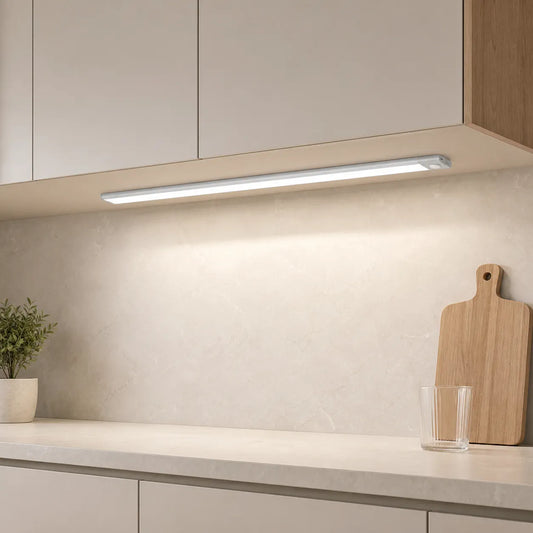
A bar spreads light along a cabinet or shelf and is often the easiest cordless form for a short counter section, pantry shelf, wardrobe rail, or work surface. Magnetic mounting is valuable because the whole bar can come down for charging. Check whether the selected length is easy to handle and whether the sensor remains visible after installation.
Rechargeable puck lights
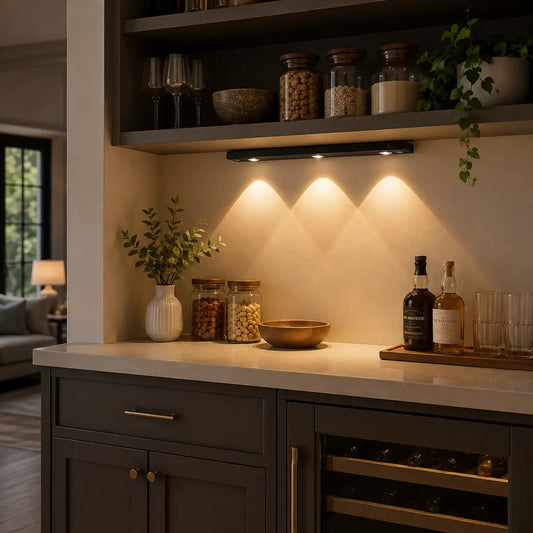
Pucks are useful for small compartments, focal areas, or cabinets where a long bar would not fit. Multi-packs can cover several locations, but each independently charged puck adds another item to maintain. A multi-head charging cable can reduce cable clutter, yet you still need space to remove and charge the set.
Lights with replaceable batteries
Replaceable-battery lights avoid waiting for a built-in battery to recharge and can be useful for occasional or emergency use. The trade-off is keeping the correct batteries on hand and handling used batteries properly. Before buying, confirm the exact battery type, quantity, access door, and whether the light's expected use will make replacements too frequent.
Built-in rechargeable or replaceable: the practical choice
- Choose built-in rechargeable when you can easily remove the light, have a convenient charging point, and expect regular use.
- Choose replaceable batteries when use is rare, immediate battery swapping matters, or charging access is poor.
- Choose plug-in or hardwired power when the light is part of a daily task area and should work without a charging routine.
Battery vs. Plug-In vs. Hardwired Under-Cabinet Lighting
The old question is not which power source is universally best. It is which inconvenience you would rather manage: charging, a visible cable and outlet, or a more involved installation.
| Factor | Battery or rechargeable | Plug-in | Hardwired |
|---|---|---|---|
| Best use | Short visits, isolated cabinets, rentals, flexible placement | Regular task lighting where an outlet is available | Permanent daily lighting planned with the kitchen |
| Installation disruption | Usually low | Low when the cable route is simple | Higher and often coordinated with an electrician |
| Ongoing task | Recharge or replace batteries | Keep plug, adapter, and cable accessible | Little routine power management |
| Long sessions | Least convenient | Well suited | Well suited |
| Moving the light later | Easiest | Possible within cable and outlet reach | Least flexible |
| Visual trade-off | No power cable, but the fixture must come down for charging | Cable and adapter need concealment | Clean finished appearance when planned well |
If you are solving a finished kitchen without a usable cabinet power point, the Under Cabinet Lighting Without an Outlet guide compares rechargeable, concealed plug-in, and new-power routes. This page answers the narrower follow-up: whether a rechargeable routine remains practical after you choose cordless power. For a main work surface, use the Kitchen Counter and Work-Zone Lighting Plan to decide whether cordless light is suitable for the actual task duration.
What to Check Before Buying
1. Test the real charging path
Stand at the cabinet and imagine removing the light every time it needs power. Can you reach it without a stool? Will a magnetic light release cleanly without pulling off its adhesive plate? Is there a convenient charging outlet and a safe place to leave the light while it charges?
2. Count fixtures, not just cabinet sections
One rechargeable bar may be simple. A set spread across six cabinets may mean six battery levels and several removal steps. Look for multi-pack charging arrangements or decide whether one continuous powered system would be easier.
3. Match the control to the activity
Motion is helpful for brief pantry and wardrobe visits. Manual or always-on control is more comfortable for meal preparation and desk work. If you want both, confirm the product has the required modes and that switching between them is easy after mounting.
4. Check light size and coverage
A long bar generally covers a wider cabinet section; a puck creates a smaller pool of light. Measure the mounting surface, cabinet lip, shelves, hinges, and sensor sightline. Do not choose only by LED count because fixture distribution and mounting position also affect the result.
5. Look for battery information you can actually use
A battery-level display is helpful when the light is used often. For runtime, look for mode and brightness conditions. Also confirm the charging connection, included cable, expected charging method, and whether the battery is replaceable.
6. Plan for the battery's end of life
Ask whether the battery can be replaced and how the product should be recycled. If a rechargeable light becomes swollen or damaged, stop using it and follow the manufacturer's handling instructions. The U.S. EPA advises that lithium-ion batteries and devices containing them should go to a separate battery or electronics recycling location—not household trash or curbside recycling. See the EPA's used lithium-ion battery guidance for disposal and handling information.
Lumaz Rechargeable Options by Daily-Use Pattern
These products suit different charging and control routines. Choose the use pattern first, then confirm the length, light color, pack size, sensor mode, and charging access. This is a fit guide, not a ranked product review; use Best Rechargeable Under Cabinet Lighting when you want a side-by-side comparison of the current bar and puck options.

- Offers always-on, night-motion, all-day-motion, and off modes.
- Available in 10cm to 50cm lengths with magnetic installation.
- Check the selected length, 3000K/4000K/6000K color choice, sensor position, and removal path.
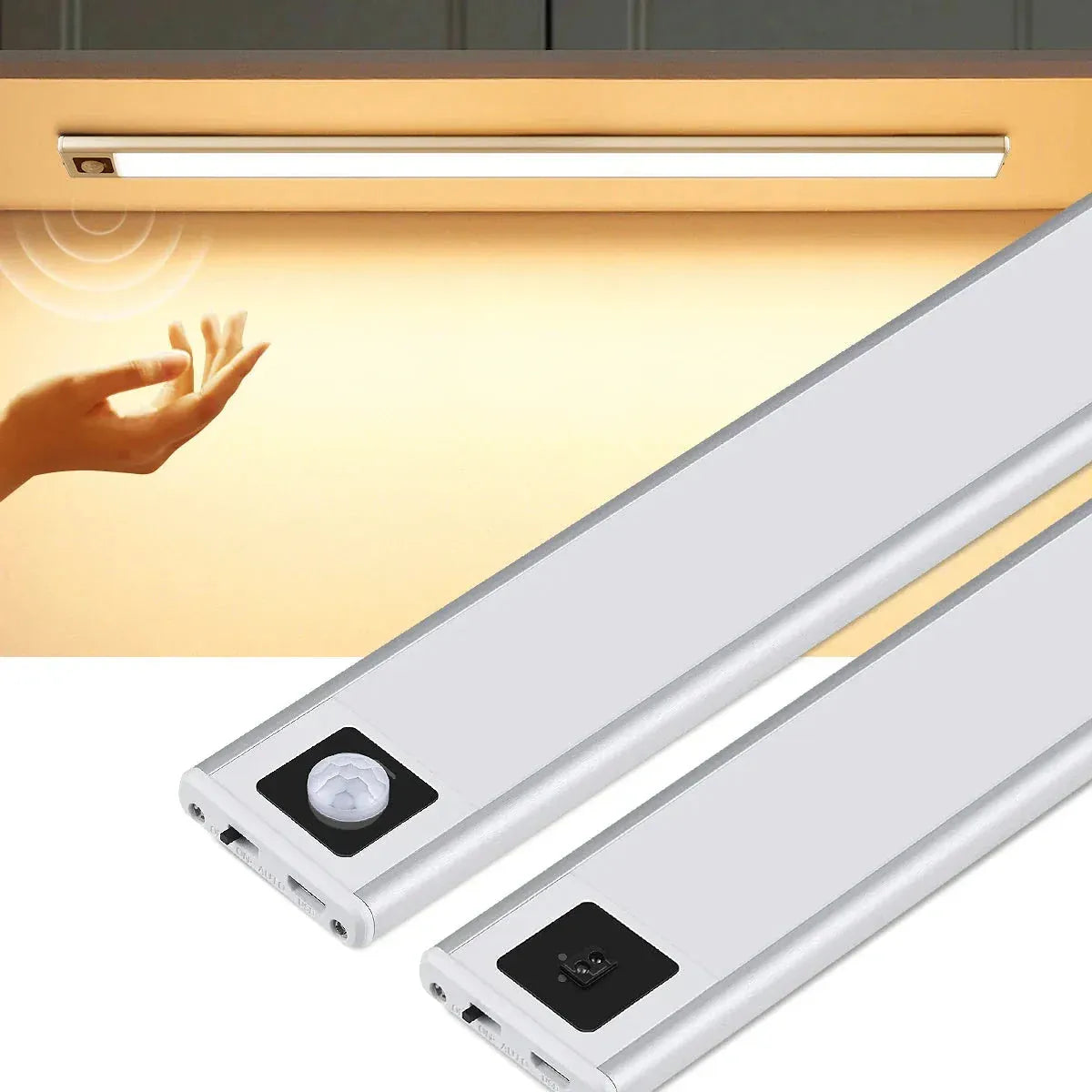
- The 0.9cm body and magnetic mounting suit shallow cabinet lips and removable charging.
- Choose a hand-sweep or PIR sensor version according to how the light will be used.
- Check whether the 20cm or 40cm length and selected white-light color suit the surface and task.
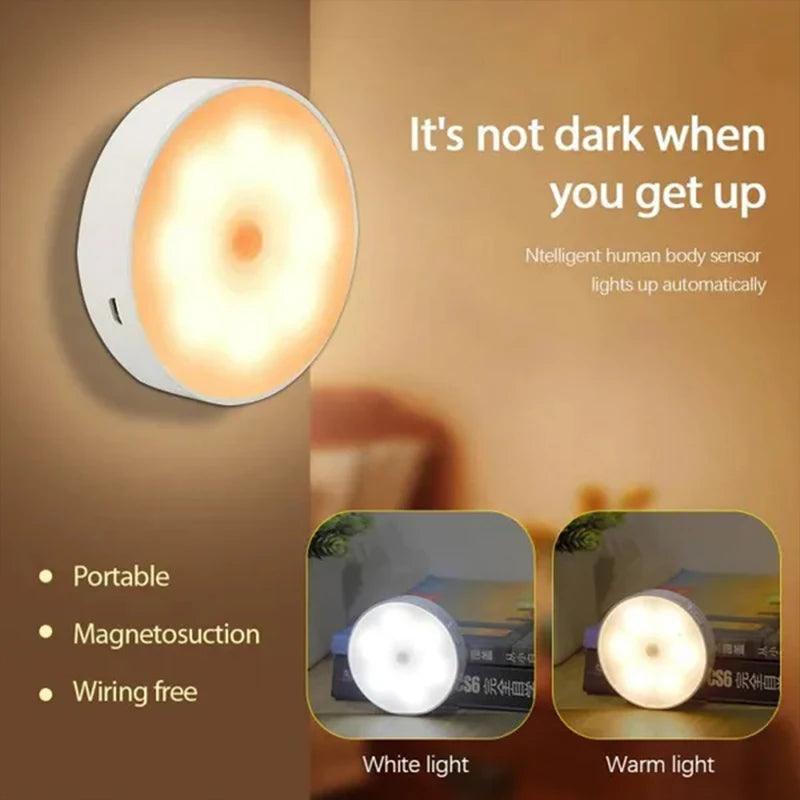
- Available in 2- to 6-piece packs with white or warm-white light.
- PIR motion sensing and a documented 25-second auto-off suit brief cabinet access.
- Check how many separately charged pucks you are willing to maintain.
You can also compare current Lumaz under-cabinet lights. Remove the product links mentally and the same rule still applies: frequent, long use favors continuous power; short, occasional use favors cordless convenience.
Battery-Operated Under-Cabinet Lighting FAQs
Are battery-operated under-cabinet lights good for kitchens?
They can work well for a rental, an isolated cabinet, or a counter used for short periods. For a main preparation surface used every day, plug-in or hardwired lighting is usually easier because it avoids frequent charging.
How long do rechargeable under-cabinet lights last per charge?
It depends on the specific light, brightness, control mode, visit frequency, and battery age. Look for manufacturer runtime conditions and compare them with your estimated daily on-time; do not rely on one universal number.
Do motion sensors make the battery last longer?
They can reduce on-time when visits are brief and the sensor is aimed well. A sensor that triggers whenever people pass nearby can waste charge, and motion mode is less useful for a long task that requires continuous light.
Are rechargeable lights better than lights with replaceable batteries?
Rechargeable lights suit regular use when charging is convenient. Replaceable batteries can suit rare use or situations where an immediate swap matters. The better choice is the routine you are more willing to maintain.
Can I leave a battery-operated cabinet light on all day?
Only if the product instructions allow it, but continuous operation will require much more frequent charging. If all-day light is the normal goal, a plug-in or hardwired fixture is generally the more practical power choice.
Can rechargeable cabinet lights stay mounted while charging?
That depends on the product instructions and whether a charging cable can reach without crossing a door, drawer, worktop, or walkway. A removable magnetic light is often easier to charge in a clear location.
Why does my battery cabinet light need charging more often now?
First check whether the brightness or control mode changed, the sensor is triggering more often, or household use increased. Rechargeable batteries also lose useful capacity with age. If the device is damaged or swollen, stop using it and contact the manufacturer.
How many rechargeable cabinet lights should I buy?
Use as few independently charged fixtures as will cover the required area. Measure each cabinet section and compare a longer bar with several pucks. More fixtures may improve coverage, but they also increase charging and removal work.
Make the Final Power Choice from Your Daily Routine
Rechargeable under-cabinet lighting solves a real problem: it puts light where running power is inconvenient. The trade-off is that the household owns the power routine. Match the light to short or long use, choose a control that fits the activity, and make sure removal and charging are comfortable before attaching anything.
If your estimate shows long daily on-time, several separately charged fixtures, or an inaccessible charging point, choose a powered system instead. The no-outlet decision guide covers the larger power-route question; this article helps you decide whether the rechargeable option will remain workable in everyday life.














 />
/>
 />
/>
 />
/>
 />
/>
 />
/>