

Top 12 Smart Christmas Lights for Home Automation (Alexa, Google, and App Compatible)
Table of Contents
- Why smart Christmas lights are worth it
- How smart lights connect: Wi‑Fi, Zigbee, Bluetooth, and Matter
- What to prioritize when buying smart holiday lights
- Top 12 smart Christmas lights at a glance
- Short reviews: the best picks and when to choose them
- How to install and set up smart Christmas lights safely (step-by-step)
- Voice control and automation examples (Alexa, Google, app routines)
- Energy, performance, and expected power consumption
- Safety, weatherproofing, and electrical tips
- Troubleshooting common problems (connectivity, flicker, and latency)
- Advanced integrations: hubs, xLights, WLED, and full shows
- Budget, maintenance, and seasonal storage tips
- Final recommendations: which smart Christmas lights fit your goals?
- Frequently Asked Questions (FAQs)
Why smart Christmas lights are worth it
Smart Christmas lights add convenience, safety, and creative control—remotely, by voice, or via schedules—while often saving energy compared to traditional incandescent decorations.
Smart lights deliver programmable color, motion, and sync with music or home routines. They reduce trips outside to flip switches, support energy-saving LEDs, and open doors to custom lighting shows that guests remember.
How smart lights connect: Wi‑Fi, Zigbee, Bluetooth, and Matter
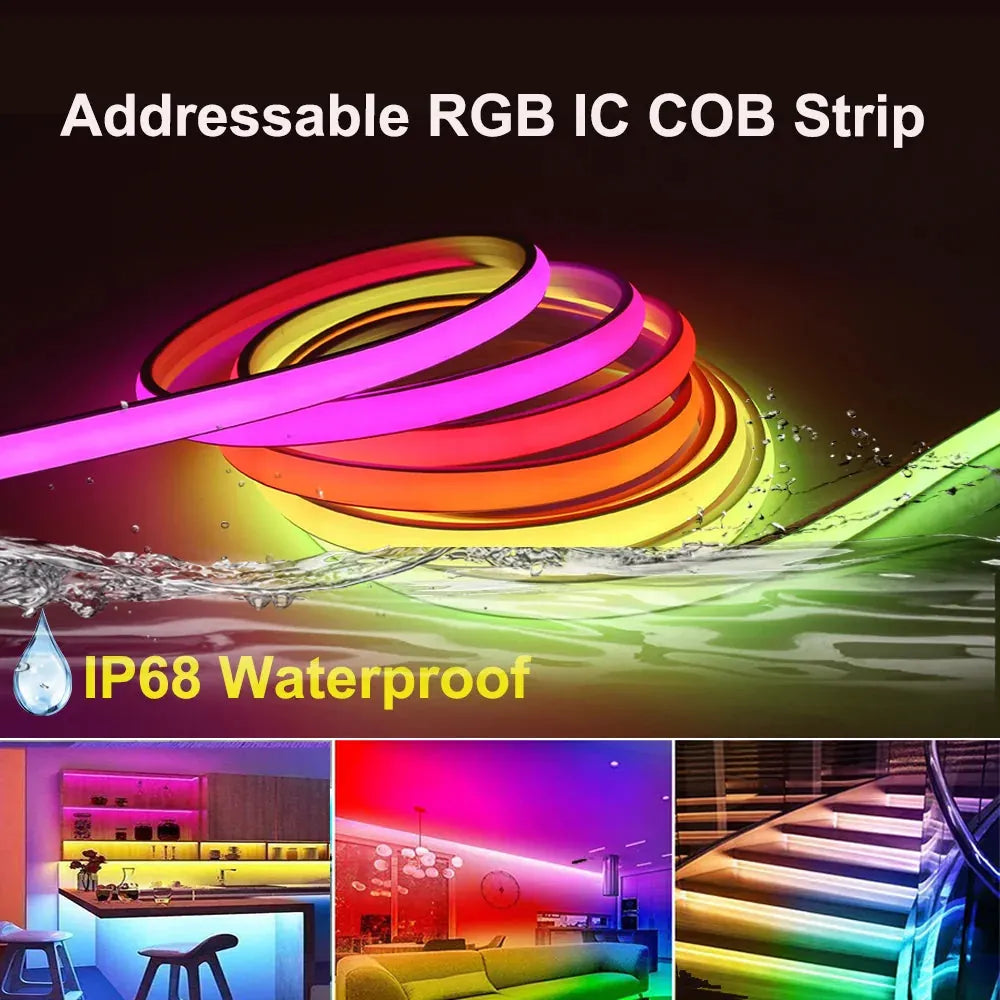
24V IP68 Waterproof WS2811 RGB IC LED Strip Lights Dimmable Dream Color Neon LED Light Tape
Smart lights use a few common protocols: Wi‑Fi (direct app/cloud), Zigbee/Z‑Wave (via a hub), Bluetooth (local), and the emerging Matter standard (interoperability).
Each protocol has trade-offs:
- Wi‑Fi — Easy setup, no hub, but can congest your home network and draw more power.
- Zigbee/Z‑Wave — Mesh networking, lower power, more reliable for many devices, but usually requires a hub (Hue Bridge, SmartThings).
- Bluetooth — Simple for a single strand, limited range and automation outside the phone’s proximity.
- Matter — New standard to streamline compatibility between ecosystems (Apple, Google, Amazon) once devices and hubs support it.
For security and best practices, follow guidance from the National Institute of Standards and Technology: secure IoT devices by changing default passwords and updating firmware regularly (NIST IoT guidance).
What to prioritize when buying smart holiday lights
Prioritize compatibility, weather rating, addressability, and power method to match your display goals and home setup.
Key criteria:
- Compatibility — Works with Alexa, Google Assistant, or a preferred app; check for Matter or bridge requirements.
- Addressable vs. non‑addressable — Addressable (RGBIC/RGB+) lets you control each LED individually for chasing effects; non‑addressable sets a single color/scene for the whole strand.
- Weatherproofing (IP rating) — For outdoor displays choose IP65 or better; indoor-only strands shouldn’t be used outside.
- Length, bulb spacing, and connectors — Confirm strand length and whether multiple strands can be daisy‑chained safely.
- Power consumption — LEDs vary; plan for total wattage and use GFCI outlets outdoors for safety.
- Control options — Local (Bluetooth), cloud (Wi‑Fi/app), hub-based (Zigbee/Hue), or integrations with light-show software (xLights, Twinkly Studio).
Top 12 smart Christmas lights at a glance
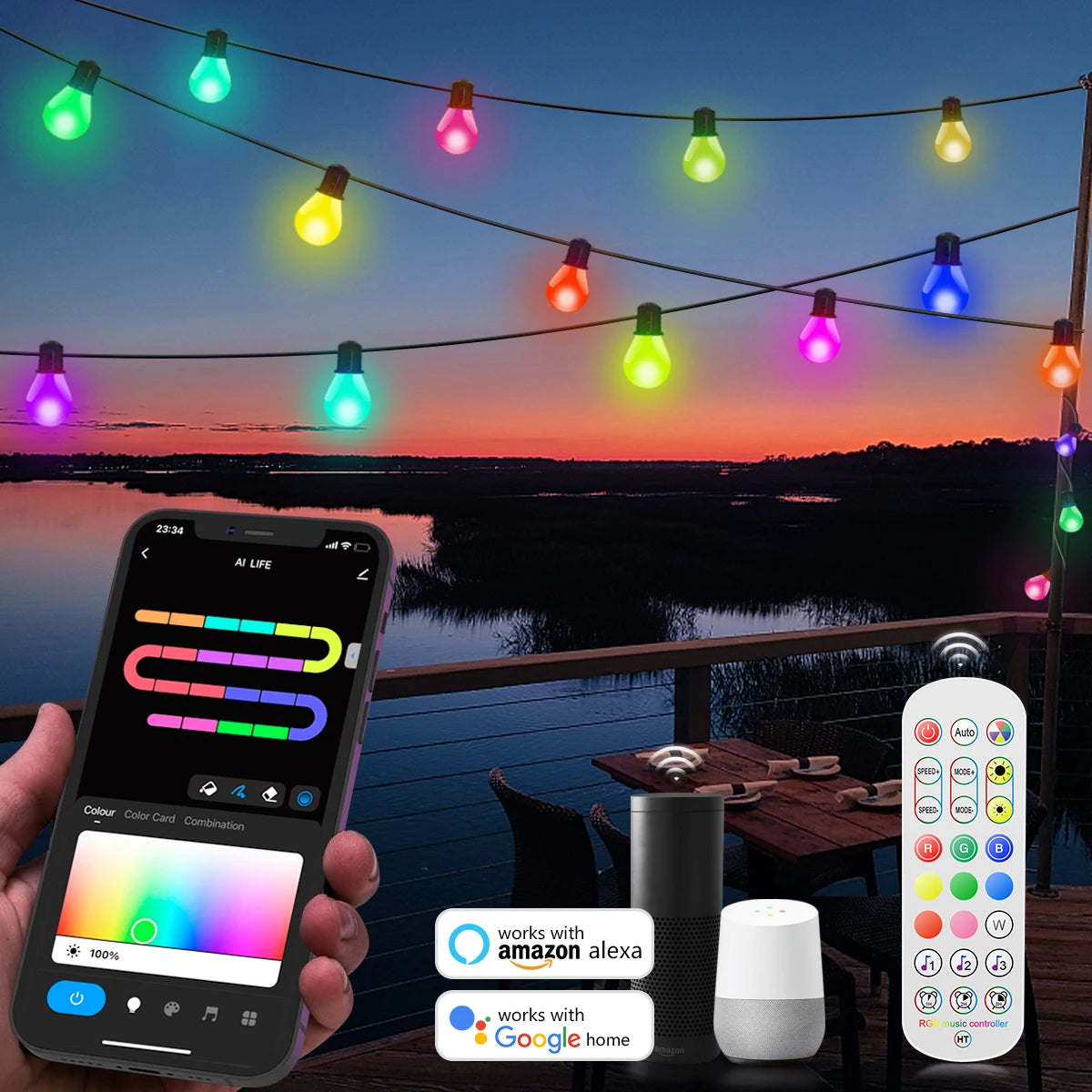
USB Smart G40 LED Bulb String Light 15M 25 Blubs Christmas Lights
This table summarizes the best smart Christmas lights across use cases: addressable shows, budget decor, outdoor durability, and ecosystem compatibility.
| Product | Type | Protocol | Addressable? | Outdoor-Rated | Best for |
|---|---|---|---|---|---|
| Twinkly (Gen/Pro) | String/Net/Ornaments | Wi‑Fi + Bluetooth | Yes | Some models (IP44‑IP65) | High-end animated shows |
| Govee RGBIC String Lights | String/Rope | Wi‑Fi + Bluetooth | Some models | IP65 (some outdoor) | Budget addressable effects |
| Philips Hue Lightstrip/Outdoor | Strip/Lightchain | Zigbee (Hue Bridge), Matter | Partially (per-segment) | Outdoor options | Seamless smart-home integration |
| LIFX Lightstrip | LED Strip | Wi‑Fi | Per-segment (RGBW) | Some outdoor-rated models | No-hub color strips |
| TP-Link Kasa String Lights | Festoon/String | Wi‑Fi | No | Outdoor-rated options | Reliable, straightforward |
| Sengled Smart String Lights | String | Wi‑Fi / Zigbee (model-dependent) | No | Some outdoor models | Smart-home brands |
| Yeelight RGB Rope Light | Rope/Strip | Wi‑Fi | No | Outdoor models | Decorative accents & contours |
| Nanoleaf Shapes (light lines) | Panels/Lines | Wi‑Fi | Per-panel (addressable) | Indoor | Creative indoor displays |
| Wyze Bulbs / Bulb String | Bulb/Strands | Wi‑Fi | No | Indoor/Outdoor depending | Affordable standard smart bulbs |
| Govee DreamView Bars | Bars/LEDs | Wi‑Fi | Yes | Indoor | Sync with music & video |
| Addressable Pixel Strips (WLED/DIY) | Strip/Pixel Nodes | Wi‑Fi (ESP32) / Controllers | Yes | Depends on enclosure | Highly customizable DIY shows |
| Commercial Festive Kits (Star/Novelty LEDs) | Decorative Shapes | Wi‑Fi / Zigbee | Varies | Usually outdoor-rated | Large lawn & public displays |
Short reviews: the best picks and when to choose them
The right product depends on display scale: addressable shows, budget strands, or integration with an existing smart-home hub.
1. Twinkly (Pro and consumer lines)
Twinkly is the market leader for addressable holiday shows. It maps the physical layout of your lights using a phone camera, then renders complex animations across thousands of LEDs.
- Strengths: Best mapping/visualization, syncs with music, strong effect library.
- Limitations: Higher price; some models require outdoor-rated controllers for large displays.
- Best for: Homeowners or public displays that want choreography and color precision.
2. Govee RGBIC String Lights
Govee offers strong value with addressable RGBIC strands and an active app-based effects catalog, plus budget-friendly outdoor-rated options.
- Strengths: Affordable, many presets, music sync.
- Limitations: Cloud-heavy features; mapping and precision are not as refined as Twinkly.
3. Philips Hue (Lightstrip & Outdoor)
Hue focuses on ecosystem integration—robust hub, reliable Zigbee mesh, and Matter support in newer devices—ideal for users with existing Hue kits.
- Strengths: Best smart-home compatibility, stable bridge, numerous ecosystem accessories.
- Limitations: Price premium; addressability is per-segment, not per-LED like Twinkly.
4. LIFX Lightstrips
LIFX provides vivid colors over Wi‑Fi without a hub. Good for indoor contours and accent strips for mantels or porches.
5. TP‑Link Kasa String Lights
Kasa’s smart strands are straightforward, reliable, and often the easiest to set up for simple color and scheduling needs.
6. Sengled and Yeelight Options
Both provide budget-friendly options with decent app controls and occasional Zigbee models that fit into hubs like SmartThings or Hue.
7. Nanoleaf and Govee bars
Use these for indoor accent displays and TV-synced backdrops; they’re not traditional string lights but offer immersive color and music sync.
8. DIY addressable pixel strips (WLED/ESP32)
For tinkerers: addressable LEDs with WLED firmware and an ESP32 controller give near-total control and integrate with xLights for choreography—lower cost per pixel but requires technical skills.
9. Commercial decorative kits
For lawns and businesses, heavy-duty outdoor-rated novelty LEDs and pre-formed shapes provide durability for large-scale displays.
🎄 "Switched to Twinkly last year—mapped a 500‑light display and ran a 3‑minute song show. Guests were stunned; setup was surprisingly simple." — HolidayLightingCommunity
How to install and set up smart Christmas lights safely (step-by-step)
Follow these steps to install lights, set up apps, and integrate with voice assistants while minimizing risks.
- Plan your layout: map strands, note outlet locations, and measure lengths to avoid overstretching.
- Confirm product rating: ensure outdoor strands are IP65+ and power supplies are rated for exterior use.
- Connect power safely: plug into a GFCI-protected outdoor outlet and avoid daisy‑chaining too many amps on one circuit.
- Mount hardware: use insulated clips—never staples or nails that puncture wiring.
- Initial app setup: follow the manufacturer’s Wi‑Fi/Bluetooth pairing steps; create an account if required.
- Integrate voice control: enable the skill/action in Alexa or Google Home and link accounts; test basic commands.
- Create schedules and routines: add automations to turn lights on/off at sunset, or trigger them with presence or routines.
- Test shows and scenes: run test patterns before the main event to confirm mapping and timing.
Voice control and automation examples (Alexa, Google, app routines)
Use voice assistants and routines to automate scenes, save energy, and trigger lighting shows with minimal interaction.
Example automations:
- Create an Alexa routine: "When sunset → set holiday scene to Party (30% brightness) for 3 hours."
- Google Home schedule: "Turn lights on at 5:00 p.m. and off at 11:00 p.m. every day."
- Motion-triggered: Use a smart motion sensor to turn lights on when someone approaches a walk-up path.
- Presence-based automation: Disable elaborate animations when you're home and enable them when guests arrive.
Tips for reliable voice control:
- Prefer Zigbee/hub devices for large deployments to reduce Wi‑Fi load.
- Check whether the device requires a cloud account—some features may fail if cloud services are down.
- Test commands in advance and create fallback schedules for automated behavior if voice control fails.
Energy, performance, and expected power consumption
LED holiday lights typically use far less energy than incandescent bulbs—often under 10–15W per 10 meters—so smart LEDs are cost‑efficient for long schedules.
Energy planning steps:
- Estimate wattage per strand from product specs; if unavailable, assume ~5–15W per 10m for modern LED strings.
- Calculate daily consumption: Watts × hours per day ÷ 1000 = kWh/day.
- Multiply by local electricity cost to estimate running cost.
Example: A 15W LED string running 6 hours nightly for 30 days uses 15 × 6 × 30 / 1000 = 2.7 kWh; at $0.15/kWh that's about $0.40 for the month.
For energy and lighting efficiency guidance, see the U.S. Department of Energy’s resources on LEDs (energy.gov - LED lighting).
💡 Enjoy brilliant displays with up to 80% energy savings. Lumaz LEDs deliver maximum performance with minimal power consumption.
Safety, weatherproofing, and electrical tips
Prioritize UL/ETL listings, IP ratings, and common-sense electrical safety to avoid shocks and fires during the holidays.
Essential safety checklist:
- Confirm UL/ETL listing for the product and its transformer for outdoor use.
- Use IP65 or higher for exposed outdoor lights; protect controller boxes from direct exposure.
- Plug into GFCI outlets for outdoor installations; extension cords should be outdoor-rated.
- Don’t overload circuits—check amperage limits and the label for maximum chain length.
- Store lights dry and untangled to extend lifespan.
For IoT device security and supply-chain guidance, consult NIST’s device cybersecurity resources (NIST IoT program), including baseline configurations and firmware update recommendations.
Troubleshooting common problems (connectivity, flicker, and latency)
Most issues stem from network conflicts, power limits, or app/cloud sync; targeted fixes restore stability quickly.
Common issues and fixes:
- Strand won’t connect: Place phone closer, ensure 2.4 GHz Wi‑Fi (many devices do not support 5 GHz), and reset the controller.
- Flickering lights: Check voltage drop—use a shorter run or a powered controller. Ensure connectors are fully seated.
- Latency in effects: Wi‑Fi congestion causes lag; consider a Zigbee mesh or dedicated controller for large displays.
- Scenes not applying: Verify cloud account link for voice assistants and that automations are active in both app and assistant.
If firmware updates fail, power cycle the device and use a wired connection (if available) or a local network to reattempt updates. Keep a spare controller or power supply on hand for outdoor displays.
Advanced integrations: hubs, xLights, WLED, and full shows
Advanced users can synchronize LEDs to music, integrate with home automation systems, and run complex choreography using open-source tools.
Paths to advanced shows:
- Twinkly Pro / Twinkly Studio — Proprietary but polished mapping and music syncing for large displays.
- xLights + Falcon/Node controllers — Widely used in the Christmas-light community for staged, timed shows with pixel-perfect control.
- WLED (ESP8266/ESP32) — Open-source firmware for addressable strips that supports MQTT, Home Assistant, and many effect libraries at low cost.
Consider these technical tips:
- Use a dedicated network or VLAN for large displays to avoid impacting home internet performance.
- Deploy a hub (Hue Bridge, SmartThings) to offload control from Wi‑Fi and gain local automation stability.
- For pixel strips, plan power injection points to prevent voltage drop and color shift across long runs.
Budget, maintenance, and seasonal storage tips
Choosing the right balance between cost and capability and storing your lights correctly extends lifespan and reduces long-term cost.
Buying and maintenance tips:
- Match features to needs: don’t pay for addressable pixels if you only need single-color scheduling.
- Test each strand before installation—repair or replace bulbs early to avoid last-minute failures.
- Label plugs and controller positions for faster teardown and reinstallation next season.
Storage best practices:
- Wind strands on reels or use cord organizers to prevent tangles and broken LEDs.
- Keep controllers in a dry, temperature-stable place; store replacement fuses and spare bulbs with the strands.
- Document configurations: take photos of connections and checklists to speed next-season setup.
Final recommendations: which smart Christmas lights fit your goals?
Match the product to your priority—animated shows, simple schedules, or full smart-home integration—to get the best experience and value.
Quick guidance:
- Choose Twinkly or addressable pixel strips for elaborate music shows and unique animations.
- Choose Govee or LIFX for budget addressable or accent lighting with strong app features.
- Choose Philips Hue or Zigbee options if you want enterprise-level smart-home reliability and local control.
- DIY with WLED if you want maximum customization at the lowest cost per pixel and are comfortable with electronics.
Before buying, verify outdoor ratings, account requirements, and whether the device will join your preferred voice ecosystem (Alexa, Google, Apple). These checks avoid surprises and ensure a smooth holiday season.
Frequently Asked Questions (FAQs)
Are smart Christmas lights more secure than dumb lights?
Smart lights introduce networked attack surfaces, so they’re not inherently more secure. Mitigate risks by changing default passwords, keeping firmware updated, and isolating devices on a guest Wi‑Fi or VLAN. See NIST’s IoT cybersecurity recommendations for baseline measures (NIST IoT guidance).
Can I use smart lights outdoors in bad weather?
Only use lights and controllers rated for outdoor use (IP65 or greater). Protect connections and power supplies from direct exposure and use GFCI outlets. Indoor-only products can be hazardous if used outdoors.
How much electricity will smart LEDs add to my bill?
Modern LED strings use very little energy—often under 10–15W per 10 meters. Running several strands for the evening typically costs only a few dollars per month; see the Department of Energy’s LED resources for efficiency context (energy.gov - LED lighting).
Do I need a hub for large displays?
For many devices and large deployments, a hub (Zigbee or a dedicated controller) improves reliability and reduces Wi‑Fi congestion. For pixel-perfect shows, use dedicated controllers (WLED, Falcon) and a separate network for best performance.
How do addressable lights differ from normal RGB lights?
Addressable LEDs allow control of individual LEDs or groups within a strand, enabling chasing patterns, gradients, and complex animations. Non-addressable RGB lights change color for the whole strand simultaneously.
Can I sync smart lights to music or video?
Yes—many commercial products (Twinkly, Govee, Nanoleaf) and DIY ecosystems (xLights + controllers, WLED) support music sync and timed shows. The choice depends on how polished and synchronized you need the display to be.
References:














 />
/>
 />
/>
 />
/>
 />
/>
 />
/>