

Remote-Controlled Puck Lights: IR vs RF, Dimming, Power & Fixes
Remote-controlled puck lights are one of the fastest ways to add cabinet, closet, and display lighting without rewiring. This guide focuses on what people actually search for: remote types (IR vs RF), real dimming behavior, power choices, placement, and how to fix the common “remote stopped working” problems.
Table of Contents
- What Remote-Controlled Puck Lights Are
- Remote Types: IR vs RF (and Why It Matters)
- What You Can Control: On/Off, Dimming, Timers, and Modes
- How to Choose Remote Puck Lights: A Buyer’s Checklist
- Power Options: Battery, Plug-In, and Hardwired
- Placement and Installation for Better Coverage (and Less Glare)
- Common Remote and Dimming Problems (and How to Fix Them)
- Best Setups by Space: Kitchen, Closet, Display
- Frequently Asked Questions
- Conclusion: Next Steps
What Remote-Controlled Puck Lights Are
Remote-controlled puck lights are compact fixtures designed for accent or task lighting, with a handheld remote used for switching and (sometimes) dimming. They’re popular under cabinets, inside closets, and in display shelving because the lights can be hard to reach once installed.
Why they’re “convenient lighting solutions” in practice
- They reduce daily friction: you don’t need to tap each puck individually.
- They enable grouping: one remote can control a whole run of lights.
- They add control features: timers, dim levels, and sometimes color modes.
Most remote puck lights are LED-based. LEDs are widely used because they are efficient and long-lasting compared with older incandescent options (U.S. Department of Energy overview: https://www.energy.gov/energysaver/led-lighting).
Remote Types: IR vs RF (and Why It Matters)
IR remotes need line-of-sight, while RF remotes usually work through doors and cabinets. Choosing the wrong remote type is one of the biggest reasons people feel a product is “unreliable.”
| Feature | IR Remote (Infrared) | RF Remote (Radio Frequency) |
|---|---|---|
| Needs line of sight | Yes | No (typically) |
| Best for | Open shelves, visible under-cabinet runs | Closets, cabinets, behind doors, around corners |
| Common failure mode | Remote must be aimed at the receiver | Range varies by home layout and interference |
| Setup | Often simplest | May require pairing or channel selection |
RF remotes generally operate as unlicensed radio devices and are subject to equipment authorization rules, which is one reason performance varies by product design (FCC overview: https://www.fcc.gov/engineering-technology/laboratory-division/general/equipment-authorization).
Fast decision rule
- Choose IR if the pucks are visible and you don’t mind aiming.
- Choose RF if the pucks sit behind doors, inside cabinets, or you want “control from anywhere in the room.”
What You Can Control: On/Off, Dimming, Timers, and Modes
Remote puck lights can offer anything from basic on/off to dimming, timers, and multi-zone control. The key is to confirm whether dimming is truly adjustable or only a few preset steps.
Common remote features (and what to look for)
- On/off: basic switching, sometimes for multiple zones.
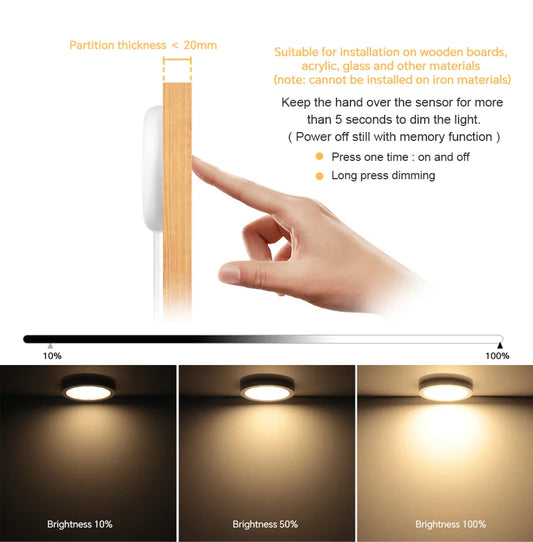
- Dimming: can be step dimming (fixed levels) or smoother adjustment.
- Timer / auto-off: helpful for batteries and nightly routines.
- Scene buttons: one-press settings (often brightness presets).
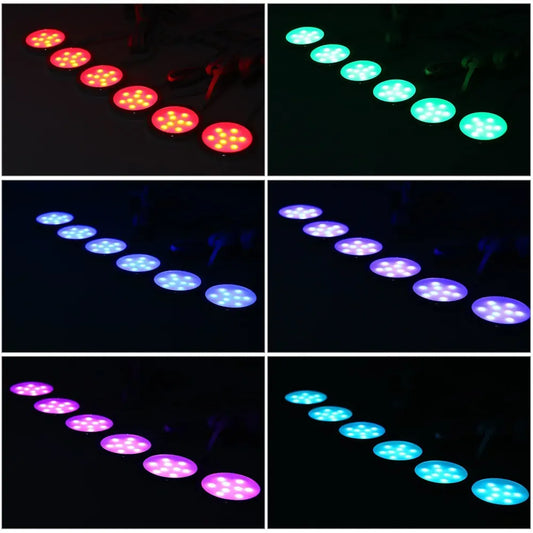
- Color modes: only on RGB-capable models; verify white mode quality if you need task lighting.
💬 “The remote was the reason we actually used the lights every day. Without it, we kept forgetting to turn them on because tapping each puck was annoying.”
How to Choose Remote Puck Lights: A Buyer’s Checklist
The best remote puck lights match your space, your power access, and how you’ll use dimming day to day. Use this checklist to prevent the most common mismatches.
Checklist (prioritize in this order)
- Remote type: IR vs RF based on line-of-sight and cabinet doors.
- Brightness and beam: enough lumens plus a beam that doesn’t create harsh hot spots.
- Dimming behavior: confirm step vs smooth adjustment and minimum dim level.
- Color quality: if you’re lighting food, clothing, or finishes, prefer higher CRI listings.
- Control ergonomics: big buttons, clear labeling, and a remote you can store near the space.
- Multi-light grouping: confirm how many lights one remote can control and whether zones are supported.
Spec targets that work for many homes
| Use case | Typical brightness per puck | Control must-have |
|---|---|---|
| Under cabinets (task) | 300–700 lumens | Dimming + reliable grouping |
| Closets / pantries | 150–400 lumens | Timer or easy off control |
| Display shelves | 150–300 lumens | Consistent dim level / scene |
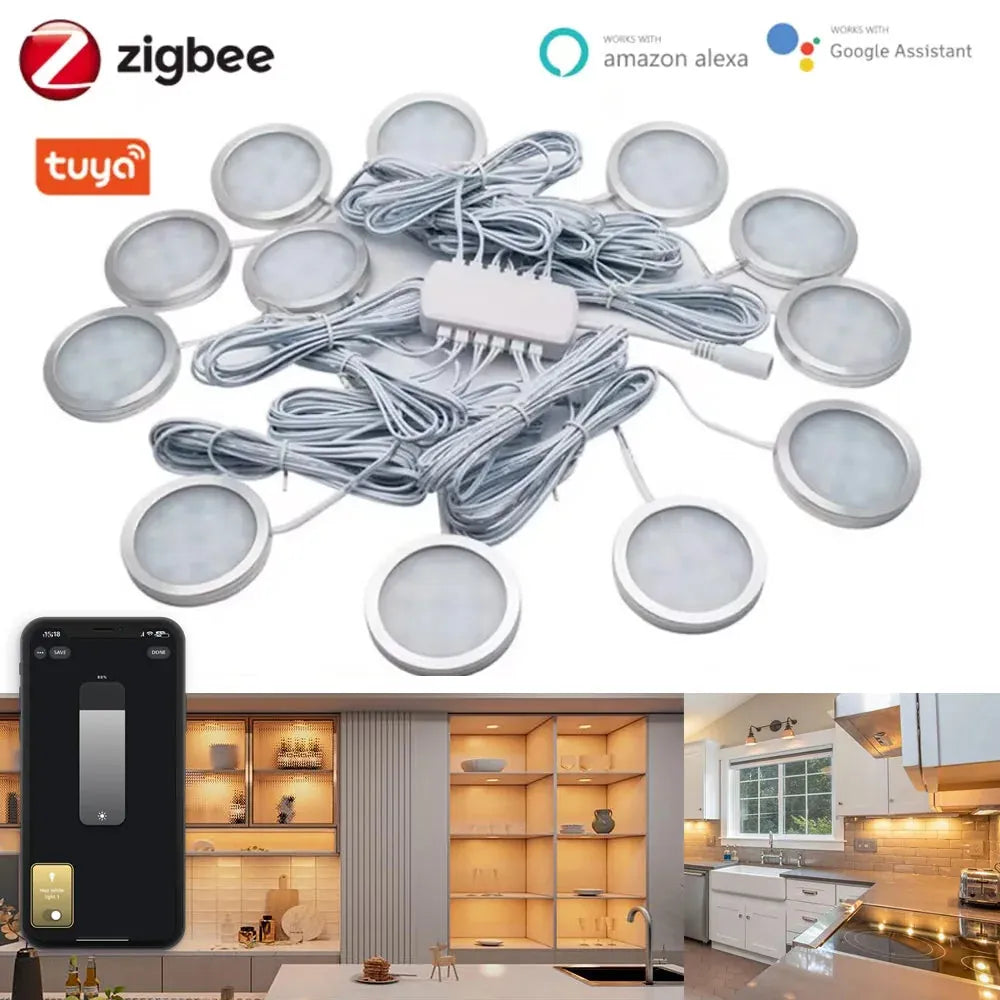
For users who want to go beyond basic remote control and avoid line-of-sight or signal limitations, smart puck systems offer more consistent control. Tuya Zigbee Smart Under Cabinet LED Puck Lights (12V, full kit) replace traditional remotes with app and voice control, making it easier to manage dimming and grouped lighting across cabinets or displays from a single interface.
Power Options: Battery, Plug-In, and Hardwired
Power choice affects brightness, runtime, and how “installed” the system feels. Battery is easiest, plug-in is most stable for daily use, and hardwired is cleanest when you can access wiring.
Which power type fits your intent
- Battery: best for rentals, quick installs, and locations without outlets; prioritize a timer to protect runtime.
- Plug-in: best for daily cabinet lighting; easier to keep consistent brightness without worrying about battery swaps.
- Hardwired: best for permanent remodels; remote control usually works through a driver/controller.
If your remote puck lights are rechargeable or use lithium packs, treat batteries as a safety system: use compatible chargers and replace damaged packs promptly (CPSC battery safety overview: https://www.cpsc.gov/Regulations-Laws--Standards/Voluntary-Standards/Topics/Batteries).
Placement and Installation for Better Coverage (and Less Glare)
Remote control makes lights easier to use, but placement is what makes them look good. Aim for even coverage and minimal glare, not maximum brightness from a single point.
Practical placement rules
- Under cabinets: place pucks closer to the front half to reduce shadows on the counter.
- Closets: aim toward the closet face, not straight down, to improve vertical illumination.
- Displays: use more lights at lower brightness to reduce hot spots.
Common installation mistakes to avoid
- Hiding the IR receiver behind a door or thick trim, then blaming the remote.
- Mounting too close to the viewing angle, creating glare on glossy surfaces.
- Over-relying on adhesive on dusty/porous surfaces; clean and press firmly, or use screws when needed.
Common Remote and Dimming Problems (and How to Fix Them)
Most problems are simple: remote batteries, line-of-sight, pairing, or dimming method mismatch. Fixing the root cause is faster than replacing the entire set.
Remote does nothing
- Replace the remote battery and try again.
- If IR: make sure the receiver is visible and not washed out by direct sunlight.
- If RF: move closer and re-pair or reselect the correct channel if supported.
Some lights respond, others don’t
- Check distance/obstructions; one puck may be at the edge of range.
- Power-cycle the set and reapply the same brightness/scene to resync.
Flicker at low brightness
- Confirm dimming is supported by the driver/controller (not “marketing dimmable”).
- Use a slightly higher minimum dim level if available; some systems flicker only at the lowest setting.
Best Setups by Space: Kitchen, Closet, Display
Choosing a setup by space prevents overbuying features you won’t use and underbuying convenience you will use.
| Space | Best-fit remote type | Best-fit power | Key feature |
|---|---|---|---|
| Kitchen under cabinets | RF preferred | Plug-in or hardwired | Smooth dimming + grouping |
| Closets / pantries | RF preferred | Battery | Timer / reliable off |
| Display shelves | IR or RF | Either | Stable scene / preset dim level |
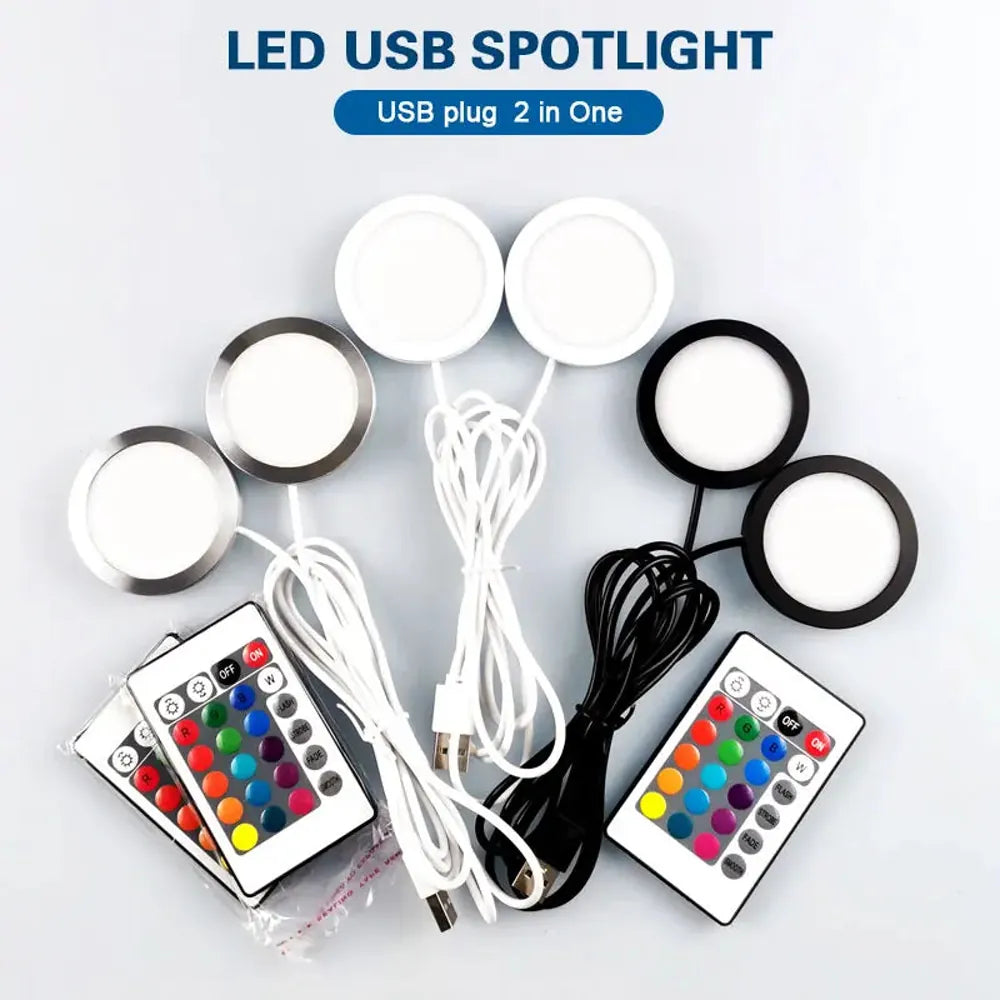
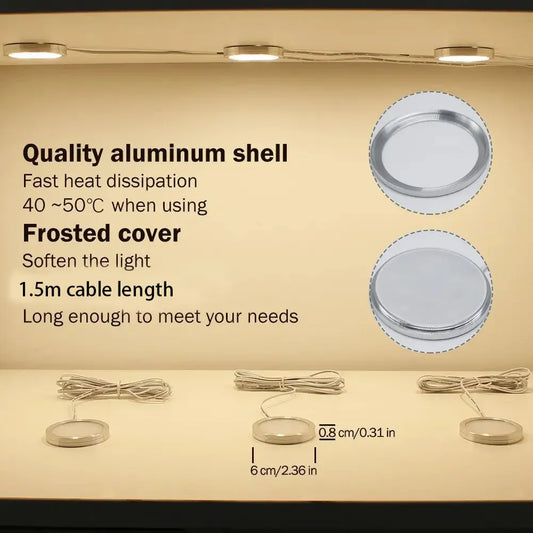
For smaller cabinets, desks, or display shelves, simple plug-in solutions can strike the right balance between features and ease of use. Dual-head 2-in-1 USB RGB under cabinet LED puck lights with remote control and 16 color options work well in compact spaces, offering flexible placement and adjustable lighting without committing to complex wiring or smart setups.
Frequently Asked Questions
These answers target the most common questions people ask when shopping for puck lights with a remote.
Do I need RF, or is IR fine?
If the lights are behind doors or you don’t want to aim, choose RF. If the receiver is visible and you want the simplest behavior, IR can be fine.
Can remote puck lights be dimmed?
Many can, but the dimming may be step-based rather than smooth. Check whether the product supports multiple dim levels and whether it flickers at low brightness.
Why does my remote work only sometimes?
Most often it’s line-of-sight (IR), low remote battery, incorrect pairing/channel (RF), or the receiver being blocked by trim or doors.
Are battery puck lights bright enough for kitchens?
They can be for light task use, but daily cooking typically benefits from plug-in or hardwired systems with consistent output and easier long-term maintenance.
Conclusion: Next Steps
Remote-controlled puck lights perform best when you match the remote type to the space (IR vs RF), confirm real dimming behavior, and choose the power option that fits your daily use. Once those decisions are right, installation and troubleshooting become straightforward.
Further Reading
Explore the full guide for this topic: How to Control and Dim Puck Lights: Remote, Smart Switches, and Voice Assistants














 />
/>
 />
/>
 />
/>
 />
/>
 />
/>