

How to Choose the Best Rechargeable Puck Lights With Remote Control
Best Rechargeable Puck Lights With Remote Control at a Glance
Choose rechargeable puck lights with remote control when several small cabinet or display zones need to change together and permanent wiring is not practical. The strongest fit is a multi-pack with removable magnetic mounting, more than one charging cable, brightness control, a timer, and a local touch control for moments when the remote is out of reach.
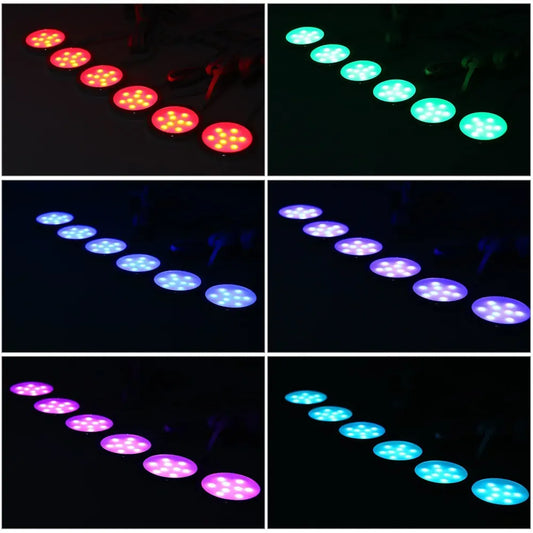
For Lumaz shoppers, the 6-Pack Rechargeable RGB Under Cabinet LED Puck Lights is the verified best fit for that combined need. It includes six rechargeable pucks, two IR remotes, touch control, five brightness levels, nine RGB colors, 15-, 30-, and 60-minute timers, magnetic or adhesive mounting, and two 3-in-1 Type-C charging cables.
| Your priority | Best control type | Why it fits | Main limitation |
|---|---|---|---|
| Coordinate several cordless display pucks | Rechargeable pucks with remote and touch control | One remote can make brightness, color, and timer changes without touching every light. | Every puck still has its own battery and charging responsibility. |
| Automatic light inside one small closet | Rechargeable PIR motion puck | The light turns on for a short visit without finding a remote. | It does not provide deliberate group control for a display scene. |
| Daily app or voice control without charging | Continuously powered smart puck kit | A powered controller supports connected scenes without maintaining six batteries. | It needs an outlet, adapter, controller, splitter, and cable routes. |
Best fit
Open shelves, display cabinets, artwork, and occasional mood lighting where six cordless pucks should dim, change color, or switch off on a timer together.
Think twice
Long kitchen task-lighting sessions. A remote solves control, but it does not remove the need to recharge every light. A continuously powered puck, bar, or strip is usually easier for daily extended use.
How This Recommendation Was Chosen
This guide uses verified Lumaz product specifications and the practical consequences of living with several rechargeable lights. It is not a claim that products were laboratory-tested side by side. “Best” means best suited to the stated remote-control and multi-light task.
The recommendation gives priority to:
- Control across several lights: the ability to change a group without pressing each puck individually.
- Useful local backup: touch control when the remote is unavailable.
- Charging practicality: cables and access that make several batteries manageable.
- Scene control: brightness levels, colors, and timers that genuinely benefit from a remote.
- Removable mounting: a puck should come down for charging without dismantling the cabinet installation.
- Honest trade-offs: the page does not treat cordless lighting as maintenance-free or claim an unverified runtime.
A general rechargeable puck can be excellent without a remote. This page focuses on the narrower situation where the shopper specifically wants one control point for multiple cordless lights. For the broader category, start with the cabinet puck light buying guide.
Best Lumaz Rechargeable Puck Light Set With Remote Control
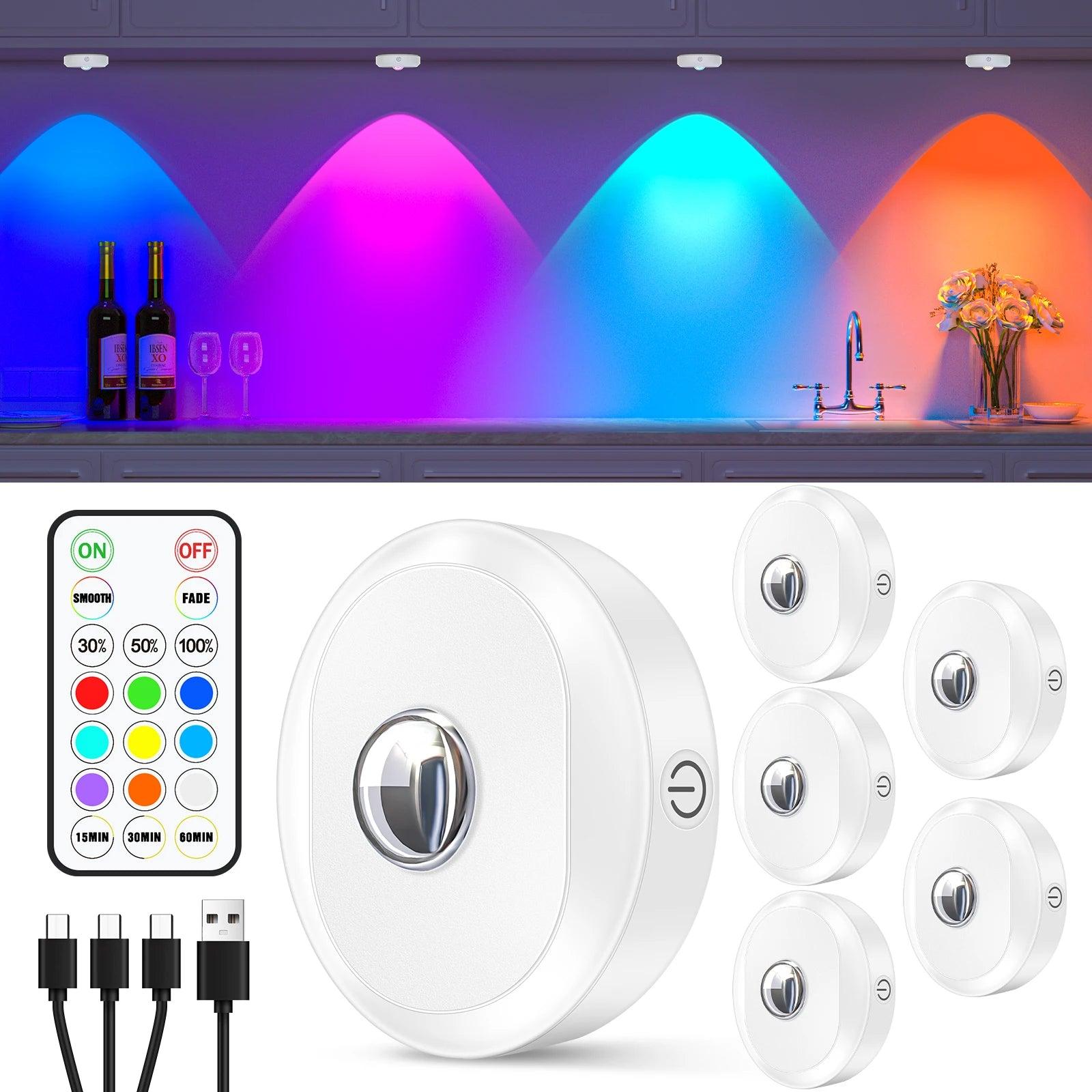
- Choose it when: several shelves, display compartments, or cabinet bays should share brightness, color, and timer changes.
- Controls: two IR remotes plus touch control on the lights.
- Scene options: five brightness levels, nine RGB colors, and 15-, 30-, or 60-minute timers.
- Charging: six rechargeable 5V 1200mAh pucks with two 3-in-1 Type-C cables.
- Mounting: built-in magnets plus supplied iron sheets with adhesive tape.
- Main trade-off: the kit simplifies control, but six batteries still need reachable mounting positions and a repeatable charging routine.
The strongest reason to choose this set is not simply that it is rechargeable. It combines a six-light pack with remote, touch, brightness, color, and timer controls. Those features are most useful when several separate light pools form one decorative scene. A single closet puck rarely needs that level of control.
Remote, Touch, Timer, and Grouping Decisions
Remote control
An IR remote is useful when the front of the pucks remains visible from the normal control position. Because IR commonly depends on a clearer path than radio control, cabinet doors, shelf edges, deep recesses, and objects can affect how conveniently commands reach every puck. Test the installed positions before making the adhesive mounting permanent.
Touch control
Touch control is valuable as a backup. It prevents the entire installation from becoming unusable when the remote is misplaced, but touching six separate pucks is not the same experience as changing the whole scene from one place.
Timers
A 15-, 30-, or 60-minute timer fits artwork, shelves, and temporary ambience that should turn off without another visit. It is less useful for a working kitchen where the required on-time changes from one task to the next.
Grouping and memory
Do not assume every multi-pack supports independent zones, saved groups, or power-loss memory. Check whether all lights respond together, whether separate remotes control different sets, and whether brightness or color returns to the previous setting after the lights switch off. These details determine whether “remote control” actually matches the desired routine.
If remote range, pairing, line of sight, or control failures are the main concern, use the separate guide to remote-controlled puck lights, IR versus RF, and common fixes.
Battery Life and Charging Several Puck Lights
Runtime is not one fixed property of “rechargeable puck lights.” It changes with brightness, color, timer use, battery capacity, battery age, and how often the remote is used. A runtime figure is useful only when it identifies the selected model, operating mode, brightness, and test conditions.
Plan the charging workflow before installation
- Count the lights. Six pucks create six batteries, even when they share one remote.
- Check cable capacity. The Lumaz six-pack includes two 3-in-1 Type-C cables. Decide where those cables and suitable USB power sources will be used.
- Keep every puck removable. Do not mount a rechargeable light where stored objects or a delicate display must be dismantled every time charging is due.
- Choose an ordinary charging habit. A repeatable location and schedule matter more than an optimistic maximum-runtime claim.
- Match on-time to the power type. Timed accent scenes suit rechargeable pucks better than lighting expected to remain on through long daily work sessions.
Rechargeable power avoids disposable-battery changes, but it does not eliminate battery maintenance. If the household will not reliably charge several fixtures, compare rechargeable and replaceable-battery options in the guide to choosing battery-operated puck lights.
Brightness, White Light, and RGB Color
The Lumaz six-pack is specified at 200 lumens per puck with five brightness levels and nine RGB colors. Those controls make it easy to change the visual mood, but the best setting still depends on the surface, mounting height, shelf depth, and purpose of the light.
- For display shelves: begin at a lower brightness and raise it only until the objects are readable without distracting bright circles or reflections.
- For decorative cabinets: use color as an accent and keep enough neutral light elsewhere in the room for comfortable navigation.
- For food preparation: prioritize broad, dependable white task light and natural color appearance. A rechargeable RGB puck set is usually a secondary or occasional light rather than the only work light.
- For a television or media cabinet: reduce brightness so the pucks add depth without becoming visible points reflected in the screen.
Before mounting the full set, test one puck in the actual cabinet. The visible pool, reflections, and shadows are more informative than choosing only from a lumen number.
Mounting and Daily Use
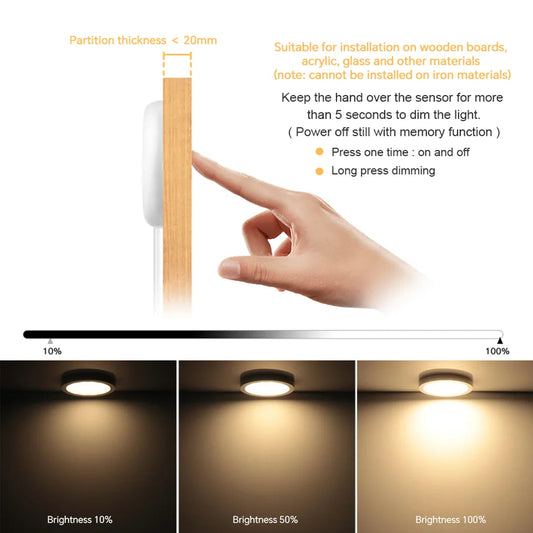
- Use magnetic removal where possible. The supplied iron sheets create a removable attachment point on a compatible cabinet surface.
- Test adhesive first. Finish type, age, heat, and surface preparation affect how adhesive behaves. Test an inconspicuous area rather than assuming every cabinet finish will release cleanly.
- Keep the remote path in mind. Deep shelf lips and closed doors can make an IR remote less convenient.
- Place pucks consistently. Repeated front-to-back placement creates a more intentional pattern across several shelf bays.
- Avoid inaccessible charging positions. A cordless installation stops being convenient when a puck cannot be removed without moving fragile objects.
- Follow the supplied charging instructions. Use the specified cables and suitable power sources, and stop using a light or battery that is damaged, deformed, or behaving abnormally.
When Remote-Control Rechargeable Pucks Are the Wrong Choice
Remote control is only useful when the household wants deliberate scene changes. Two other control patterns may fit better.
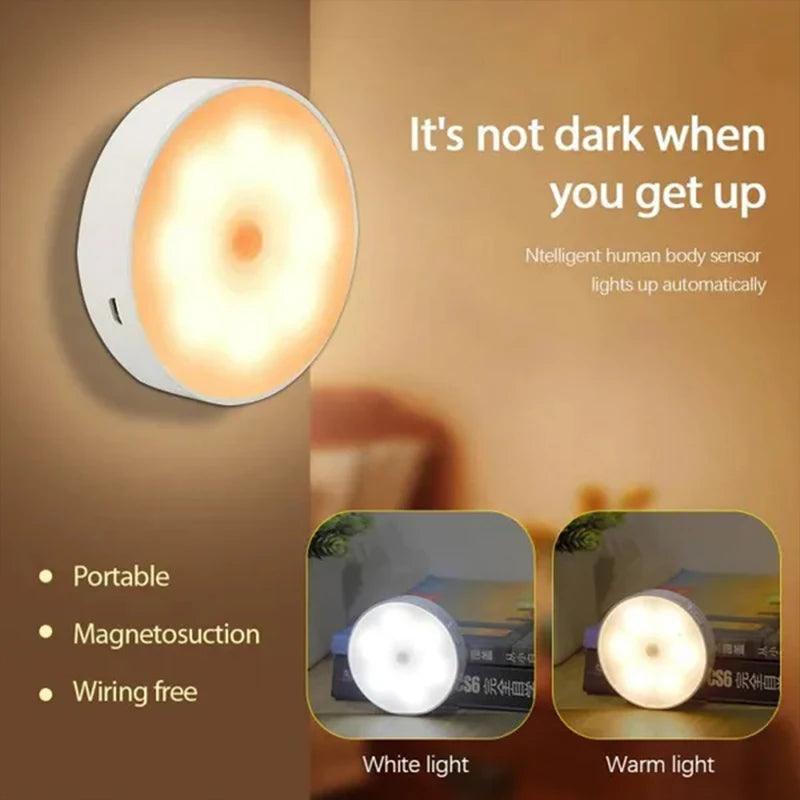
- Choose it instead when: one closet, wardrobe, or cabinet should light automatically as someone approaches.
- Useful facts: rechargeable magnetic puck, 3–6m sensing distance, 120-degree sensing angle, and 25-second automatic shutoff.
- Main trade-off: motion control removes the need for a remote but does not create coordinated color scenes.
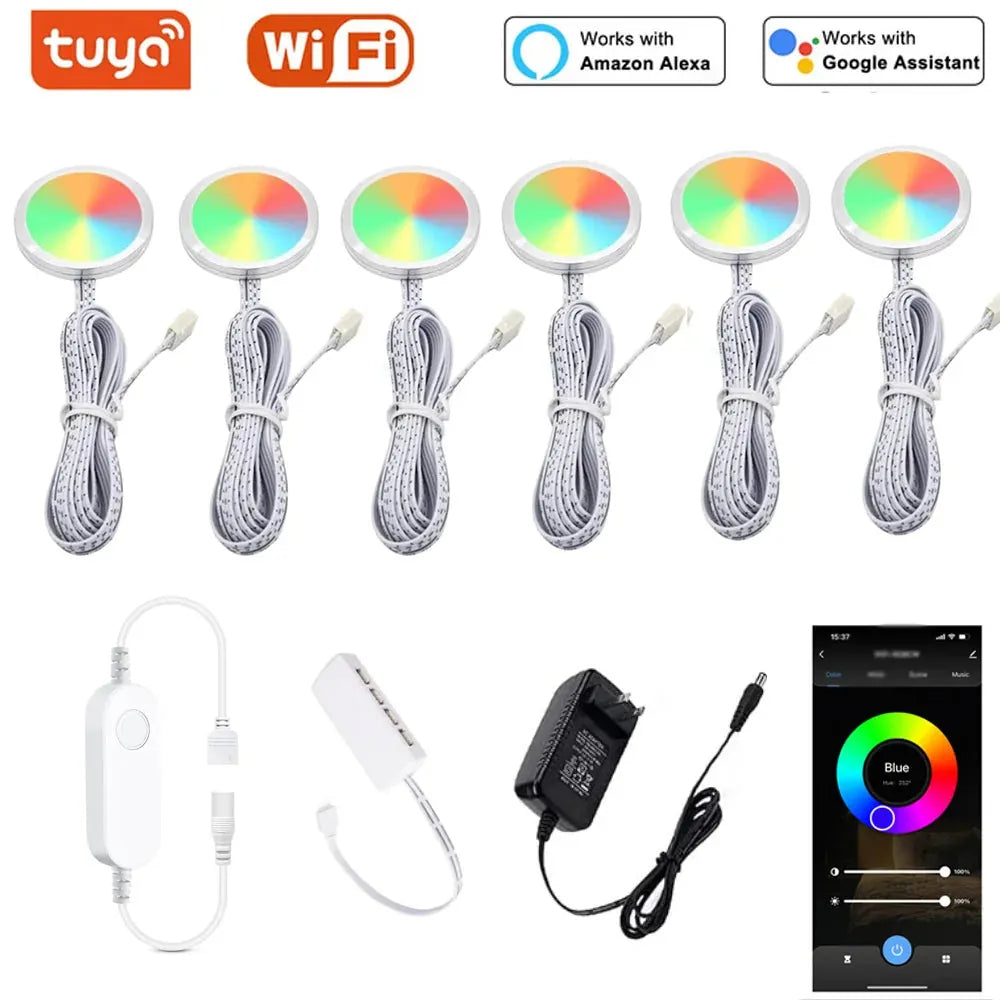
- Choose it instead when: app and compatible voice control matter more than cordless placement.
- Useful facts: four 12V RGB pucks with adapter, controller, splitter, cables, adhesive, Smart Life app control, and Alexa or Google Assistant compatibility.
- Main trade-off: it eliminates recharge cycles but requires continuous power and cable concealment.
If the real decision is bar versus puck rather than remote versus motion control, compare rechargeable under cabinet light bars and pucks before buying a multi-pack.
Rechargeable Remote-Control Puck Light Buying Checklist
- How many puck lights must respond together?
- Does the remote use IR or RF, and will doors or shelf edges obstruct it?
- Can the lights also be controlled locally if the remote is misplaced?
- Are brightness, white light, RGB color, and timers all useful for this room?
- Does the set support independent groups or only one shared response?
- Does it remember the previous setting after switch-off?
- How many charging cables and power ports are included or required?
- Can every puck be removed without disturbing the cabinet contents?
- Is the expected on-time realistic for rechargeable power?
- Would automatic motion or a continuously powered system better match the routine?
Frequently Asked Questions
Can one remote control several rechargeable puck lights?
Many multi-packs are designed for shared remote control, but the exact behavior varies. Confirm how many lights respond together, whether separate groups are possible, and whether every installed puck can receive the command.
How long do rechargeable puck lights last on one charge?
There is no reliable universal answer. Runtime changes with the selected light, battery capacity, brightness, color, timer use, control activity, and battery age. Compare runtime only when the stated conditions match how the lights will be used.
Is IR or RF remote control better for puck lights?
IR can be simple and responsive when the lights remain in view of the remote. RF is generally more forgiving of direction and some obstructions. The better choice depends on cabinet depth, doors, shelf lips, and whether the lights are divided among separate compartments.
Are rechargeable remote puck lights good for kitchens?
They can work for occasional accent lighting or isolated cabinet sections. For long daily food-preparation sessions, the need to recharge several pucks often makes a continuously powered system more practical.
Do I need RGB puck lights to get remote control?
No. Remote control can operate white-only or color-changing lights. Choose RGB only when color scenes are useful; do not pay for color modes if the real need is straightforward white cabinet light.
Can adhesive-mounted rechargeable pucks damage a cabinet?
Adhesive performance varies with finish, surface preparation, heat, age, and removal method. Test an inconspicuous area and use a removable magnetic arrangement where practical. Do not promise damage-free removal on an unknown finish.
What if some pucks do not respond to the remote?
Check battery charge, remote battery, aiming position, line of sight, obstructions, and whether the light was switched into the correct control mode. If the issue continues, use the product instructions and the dedicated remote-control troubleshooting guide rather than repeatedly remounting the lights.
Final Recommendation
Choose a rechargeable remote-control puck set when several cordless display or cabinet lights need coordinated brightness, color, and timer changes. The Lumaz six-pack is the clearest verified fit because it combines six rechargeable pucks, two IR remotes, touch control, five brightness levels, nine RGB colors, three timer choices, removable mounting, and multi-head charging cables.
Choose a motion-sensor puck instead for automatic short visits, or a powered smart puck kit when daily connected control matters more than cordless installation. The best choice is the control routine the household will actually use—and the charging routine it will realistically maintain.















 />
/>
 />
/>
 />
/>
 />
/>
 />
/>