PIR vs. Hand-Wave Under Cabinet Lights
PIR Turns On for Movement; Hand-Wave Waits for You
Choose PIR when you want light to appear automatically as you approach a dark cabinet or pantry. Choose hand-wave when you want to decide exactly when a kitchen work light turns on or off without touching a switch. PIR is convenient for short visits, but it may react to other movement and may time out while you stand nearly still. A hand-wave sensor avoids broad room-motion triggers, but it needs a clear, reachable gesture spot and can still react when normal reaching passes too close.
The best test is not a published sensing distance. Stand where you actually cook or open the cabinet, then try the approach, hand movement, daytime light, and nearby traffic before fixing the mount. Also check whether the exact light offers night-only motion, all-day motion, a manual setting, or an always-on override; those modes change the experience as much as the sensor type.
The Difference You Notice in Daily Use
A PIR (passive infrared) sensor looks for a change in heat pattern as a person moves across its view. It does not know that you intend to use the counter, and it is not a reliable way to tell that someone standing almost still is still working. A hand-wave sensor responds to a close gesture near its sensing point; the exact sensing method and distance vary by model. Signify's sensor guide describes PIR heat-motion detection, while Sensio's cabinet-control guide distinguishes automatic PIR from deliberate hand-wave control.
| What happens | PIR motion | Hand-wave |
|---|---|---|
| Someone walks toward the cabinet | May turn on if the person crosses the sensor's view and the selected mode allows it. | Stays in its current state until someone gestures near the sensing point. |
| Hands are wet or covered in food | No gesture needed if motion has already triggered the light. | A deliberate wave can switch the light without touching it. |
| Someone walks past but does not stop | May activate if the view includes the walkway. | Usually stays unchanged unless the passerby reaches into the short gesture zone. |
| You stand still to read or chop | May turn off after the model's delay unless it has a suitable override. | Normally remains in the state you set until the next gesture or control action. |
| The kitchen is bright during the day | A night-only mode may suppress activation; an all-day mode, if offered, behaves differently. | Usually follows the gesture, subject to the exact product's controls. |
Neither sensor is automatically “smarter.” PIR removes the need to remember a control for a brief visit. Hand-wave gives you a predictable start and finish for a longer task. If a light must stay on for hours, also consider a model with a confirmed always-on mode or an ordinary switch.
Which One Fits Your Cabinet or Counter?
Choose PIR for brief, predictable visits
- Opening a pantry or deep cabinet to retrieve one item.
- Approaching a dark secondary counter with both hands full.
- A nighttime route where a suitable night-motion mode prevents needless daytime activation.
Choose hand-wave for a deliberate session
- Preparing food, washing up, or working at one counter for several minutes.
- A busy kitchen where people or pets pass the cabinet without needing its light.
- A light you want to leave on while you stand still, then switch off as you leave.
For a main prep run, hand-wave is usually the more dependable choice: you start one cooking session and keep the task light on. For an enclosed pantry, PIR can feel effortless because entering or reaching in is the trigger. If a cabinet door itself is the event you want detected, a door-contact control is a separate option; PIR does not sense “door open” directly.
Heat sources and pets are placement questions, not reasons to reject every PIR light. A PIR sensor may react to a moving pet in its field or to changing heat near a vent or appliance; Signify's PIR installation guidance lists heat sources as a possible cause of unwanted activation. Test your actual pet route and appliance use before mounting. Do not assume a product has adjustable sensitivity unless its instructions say so.
A Five-Minute Placement Test Prevents Most Regrets
- Choose the one action that should turn the light on. For PIR, mark where a person approaches or reaches in. For hand-wave, mark where a short deliberate gesture feels natural from the working position.
- Hold the light in the proposed position. A cabinet lip, door, stored container, or appliance can block the sensing point. Check the sensor as well as where the beam lands on the worktop.
- Repeat everyday movements. Walk the aisle, open nearby doors, reach for utensils, wipe the counter, and let a pet follow its normal route. A false trigger in this test is more useful information than an advertised maximum range.
- Try daylight and darkness. If PIR fails to turn on in daylight, check whether the exact model is in night-only mode before treating it as defective. A night mode is useful for a dark visit but frustrating when you want task light on a cloudy afternoon.
- Stay still and wait. See whether a PIR light turns off during the actual task. If its fixed timeout interrupts you, use an always-on or manual setting if offered, or choose hand-wave control for that work zone.
Place a hand-wave sensor where normal cooking motions do not repeatedly cross its short trigger area. Place PIR so it sees the intended approach without watching the whole kitchen. For a full counter layout, the hands-free kitchen lighting plan addresses fixture coverage and power alongside the control choice; this page focuses on the sensor behavior itself.
Two Lumaz Routes With Different Triggers
These are examples for different routines, not two lights that must be bought together. Check the selected variant, power source, and mounting position before ordering.
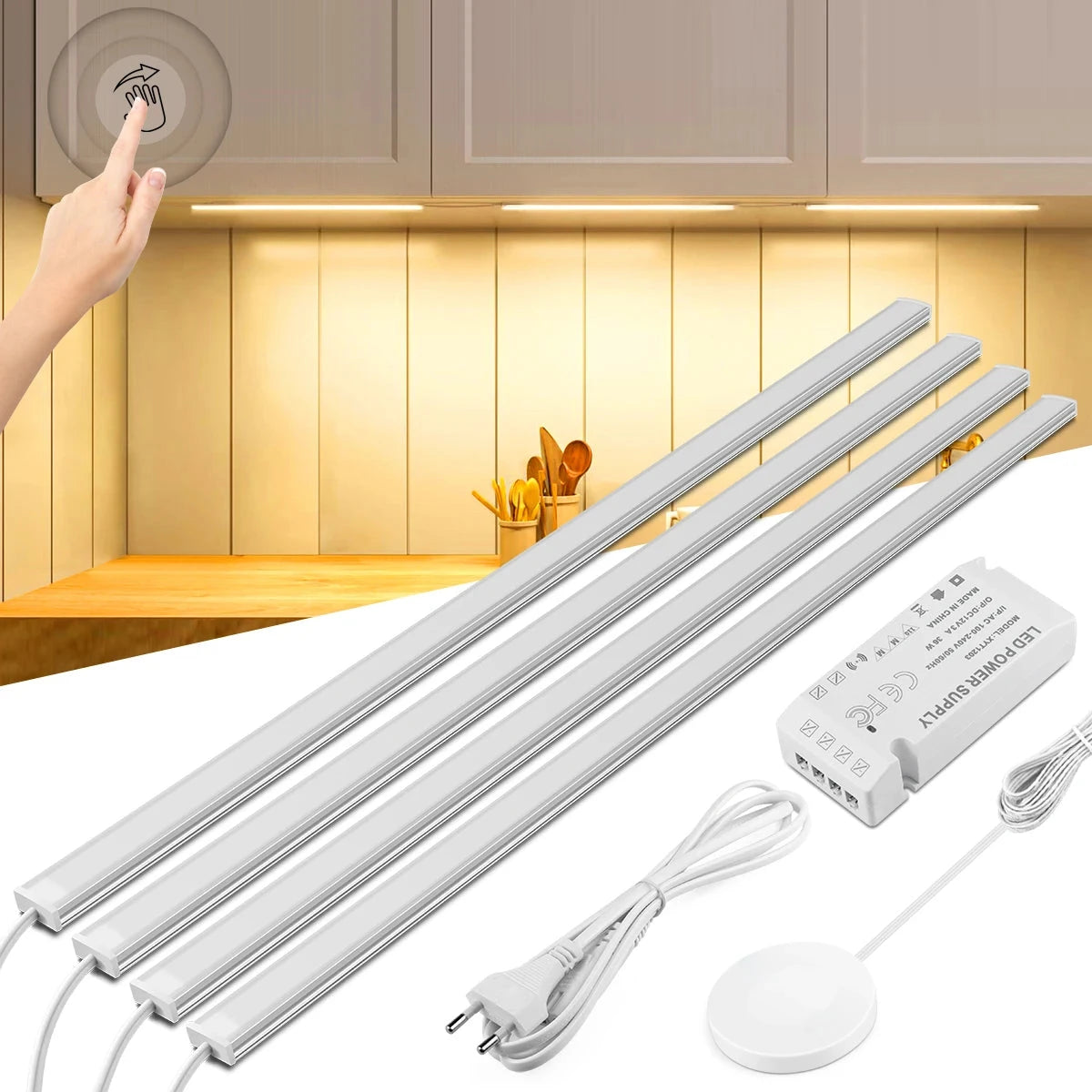
- Hand-sweep switching and touch dimming let you choose when a cooking session starts and ends.
- 30cm, 40cm, and 50cm options run from a supplied plug-in adapter, avoiding a charging routine.
- Check the outlet, cable route, and whether the sensing end can sit outside routine reach and door movement.
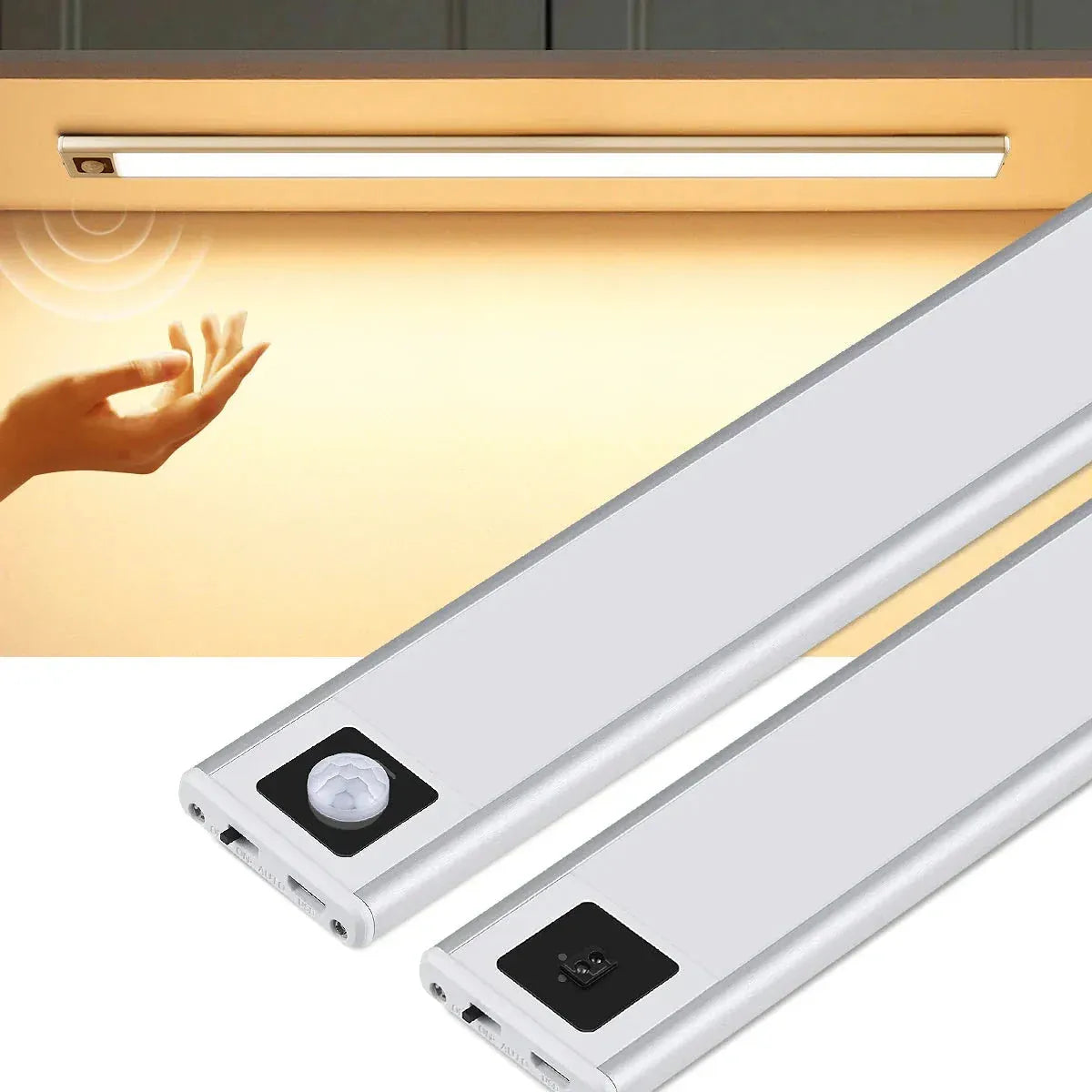
- Select the PIR Motion Sensor variant for automatic approach lighting; this listing also has a separate Hand Sweep Sensor variant.
- 20cm or 40cm rechargeable magnetic bars avoid a cord across a finished cabinet.
- Check the selected variant's timeout and available modes before using it for prolonged work; the listing does not specify them.
If the decision hinges on night-only versus all-day activation or an always-on override, the Lumaz Type-C Rechargeable Under Cabinet LED Light Bar - Smart Motion Sensor, 3 Color explicitly lists night-motion, all-day-motion, always-on, and off modes. Choose it for those modes; the listing does not identify its sensor as PIR, so do not assume it responds exactly like the PIR variant above.
What to Change When the Light Behaves Badly
| Problem | Check first | If it keeps happening |
|---|---|---|
| PIR turns on for passersby or pets | Move its view away from the aisle or pet route; test again at normal walking height. | Choose a deliberate hand-wave or manual control for that counter. |
| PIR does not turn on during the day | Check whether night-only mode or a daylight threshold is active on that exact model. | Use a documented all-day mode if available, or choose manual control for daytime tasks. |
| PIR turns off while you cook | Check the model's fixed or adjustable delay and whether it offers always-on mode. | Use hand-wave or a switch for sustained prep rather than repeatedly moving to keep the sensor awake. |
| Hand-wave triggers while you reach for objects | Move the sensing end away from the busy reach path and test cabinet doors and cleaning motions. | Use touch/manual control or another fixture position if there is no clean gesture zone. |
| Neither sensor responds reliably | Check charge or power, mode, and whether the sensor is blocked by a cabinet lip or stored item. | Follow the exact product's troubleshooting instructions; do not assume a longer detection range will fix placement. |
For a broader decision between any motion sensor and a normal switch, see the motion sensor versus manual switch comparison. Here the choice is specifically between automatic PIR and intentional hand-wave behavior.
PIR and Hand-Wave Questions
Is a hand-wave light also a motion-sensor light?
It senses a nearby gesture, but it does not work like a PIR light that turns on when someone approaches. Check the product's sensor type: “hands-free” may describe either behavior.
Will a PIR light come on for my cat or dog?
It can if the pet's movement crosses the sensor's field under suitable conditions. The outcome depends on height, distance, placement, and the specific sensor. Test your pet's normal route before fixing the light; do not assume every PIR model has pet filtering or adjustable sensitivity.
Why does a PIR light work at night but not in a bright kitchen?
The exact model may be set to a night-motion mode or have a light-level threshold. Check its mode first. If you need automatic task light during the day, choose a model that explicitly offers all-day motion or use a deliberate control.
Which is better with wet hands?
Hand-wave is useful when you want to start or stop a cooking session without touching a switch. PIR needs no gesture at all, which is convenient on approach, but may time out during a mostly still task. Choose based on when you need the light to change state.
Can a PIR light stay on while I cook?
Only if the exact model has a suitable always-on or manual mode, or a delay that genuinely covers the task. Do not infer this from “motion sensor” on the listing. A hand-wave bar is often the simpler choice for a counter used continuously.
Continue With the Right Next Step
Broader hub
Explore Under Cabinet Lighting
Compare fixture shapes and power choices after selecting the trigger you want.
Practical next step
Plan Hands-Free Kitchen Task Lighting
Place the chosen control over a real prep, sink, or coffee zone and check the power route.
Related alternative
Plan a No-Wiring Setup
Choose between rechargeable, concealed plug-in, and new-power routes when the sensor choice also changes the installation.