

Motion Sensor vs Manual Switch: Which Is Better for Kitchens?
Table of Contents
- Introduction: Choosing the Right Control for Your Kitchen Lighting
- Understanding Motion Sensors for Kitchens
- Understanding Manual Switches for Kitchens
- Key Considerations for Kitchens
- Practical Pros and Cons: Motion Sensors vs Manual Switches
- Best Use Cases in the Kitchen
- Hybrid Solutions: Combining Motion Sensors and Manual Switches
- Frequently Asked Questions (FAQs)
- Conclusion: Making the Best Choice for Your Kitchen
Introduction: Choosing the Right Control for Your Kitchen Lighting
Kitchen lighting should be efficient, comfortable, and convenient. Motion sensors and manual switches each offer distinct strengths that shape how you prep, cook, and move through the space.
Understanding Motion Sensors for Kitchens
How Motion Sensors Work
Motion sensors detect movement or presence within a defined field of view and trigger lights automatically. Typical near‑counter ranges are ~8–15 ft; ambient light thresholds can prevent daytime over‑lighting.
- Common detection approaches include PIR and presence sensing; each balances sensitivity and false‑trigger risk.
- Delay timers (e.g., 60–120 s) keep lights on briefly after motion stops to avoid rapid toggling.
Advantages of Motion Sensors
- Hands‑free operation when hands are wet, greasy, or full.
- Energy savings by reducing idle runtime; ENERGY STAR highlights occupancy sensors’ role in minimizing unnecessary use.
- Ideal for under‑cabinet runs, sink zones, and walkways where guidance matters more than manual precision.
🙂 “We angled a compact PIR toward the sink approach path. At night, guidance appears only when we move—no harsh glare, no sticky switch.”
Understanding Manual Switches for Kitchens
How Manual Switches Work
Manual switches physically open or close the circuit to control lighting. They offer predictable behavior with direct human control.
- Momentary or toggle forms provide immediate on/off control.
- Pairing with dimmers enables precise brightness settings for specific tasks.
Advantages of Manual Switches
- Simple, intuitive, and technology‑independent.
- Reliable for long sessions—lights stay on without dependence on motion detection.
- Lower upfront cost and straightforward installation compared to some sensor systems.
Key Considerations for Kitchens
Frequency of Movement
Busy kitchens benefit from sensors near approach paths; static prep stations may favor manual control. Match detection cones to how people move around counters.
- Use longer delays near sinks (90–120 s) to avoid rapid toggling during rinsing.
- For long prep tasks, prefer stable scenes (manual or presence sensing) over pure motion.
Messy Environments
Hands‑free control preserves hygiene when hands are wet or oily. Sensors reduce switch contact and streamline cleaning routines.
- Mount sensors near the front edge; avoid aiming at glossy backsplashes to limit glare.
- Keep pet paths and corridors outside detection cones to reduce nuisance triggers.
Energy Efficiency
Sensors cut idle runtime automatically, while manual switches rely on users to turn lights off. Efficiency gains depend on accurate detection and ambient thresholds.
- Ambient thresholds bypass triggers when counters are already bright.
- Occupancy control supports standards emphasizing reduced waste; see California Energy Commission — Title 24 for compliance context.
🔧 Lumaz recommends front‑edge mounting, a 90–120 s delay, and ambient‑light thresholds enabled, so under‑cabinet lights respond when you move and stay off when counters are already bright.
Practical Pros and Cons: Motion Sensors vs Manual Switches
Motion Sensor Pros
- Hands‑free convenience and hygiene benefits.
- Automation aligns with scenes and schedules; fast local response.
- Reduced energy use via occupancy‑based control.
Motion Sensor Cons
- False triggers from pets, reflections, or busy corridors.
- Sensitivity or delay mis‑tuning can feel unpredictable.
- Battery models require maintenance; wired installs add complexity.
Manual Switch Pros
- Direct, predictable control for long cooking sessions.
- Lower upfront cost and simple installation.
- Fine brightness control with compatible dimmers.
Manual Switch Cons
- Requires touch—less ideal with wet or greasy hands.
- Relies on user habits to avoid lights left on.
- No automated guidance across walkways or at night.
| Criteria | Motion Sensor | Manual Switch | Kitchen Note |
|---|---|---|---|
| Hygiene | Hands‑free, avoids touching | Requires interaction | Sinks and messy prep benefit from sensors |
| Energy Use | Lower idle runtime | User‑dependent | Ambient thresholds improve savings |
| Reliability | Proper tuning essential | Consistent on demand | Manual suits long continuous tasks |
| Install Complexity | Battery easy; wired complex | Simple | Choose per permanence and skill |
| Smart Integration | Scenes, local logic | Optional with smart switches | Prefer local automations for speed |
Best Use Cases in the Kitchen
Motion Sensors
Use sensors for under‑cabinet guidance, sink zones, and walkways. Validate coverage via day/night walk tests; adjust angles to avoid reflections and corridors.
- Front‑edge mounting and ambient thresholds improve comfort and efficiency.
- Longer delays near sinks (90–120 s) feel calmer and reduce toggling.
- Presence sensing suits extended prep; motion suits short passes.
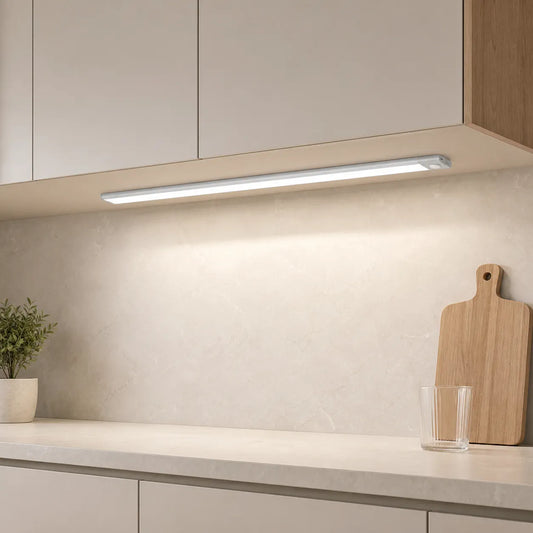
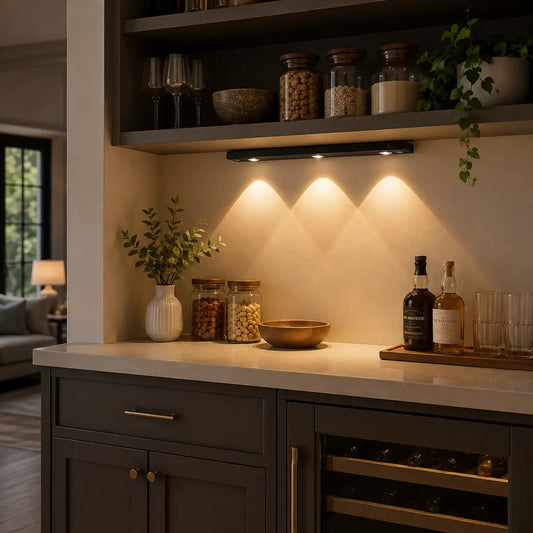
In the kitchen, motion sensors are perfect for areas where you need hands-free lighting, such as under cabinets or over sinks. The Type-C Rechargeable Under Cabinet LED Light Bar with a smart motion sensor automatically illuminates your workspace when you approach, whether you're chopping vegetables or washing dishes. With its adjustable brightness and three color options, it provides tailored lighting to suit your kitchen tasks without needing to touch a switch.

Manual Switches
Use manual control for stovetops, baking stations, or pantry lights that should remain steadily on. Pair with dimmers for precision and comfort.
- Keep switch placement intuitive and reachable from work zones.
- Label scenes or levels clearly to avoid confusion during busy cooking.
- Consider illuminated switches for easy identification at night.
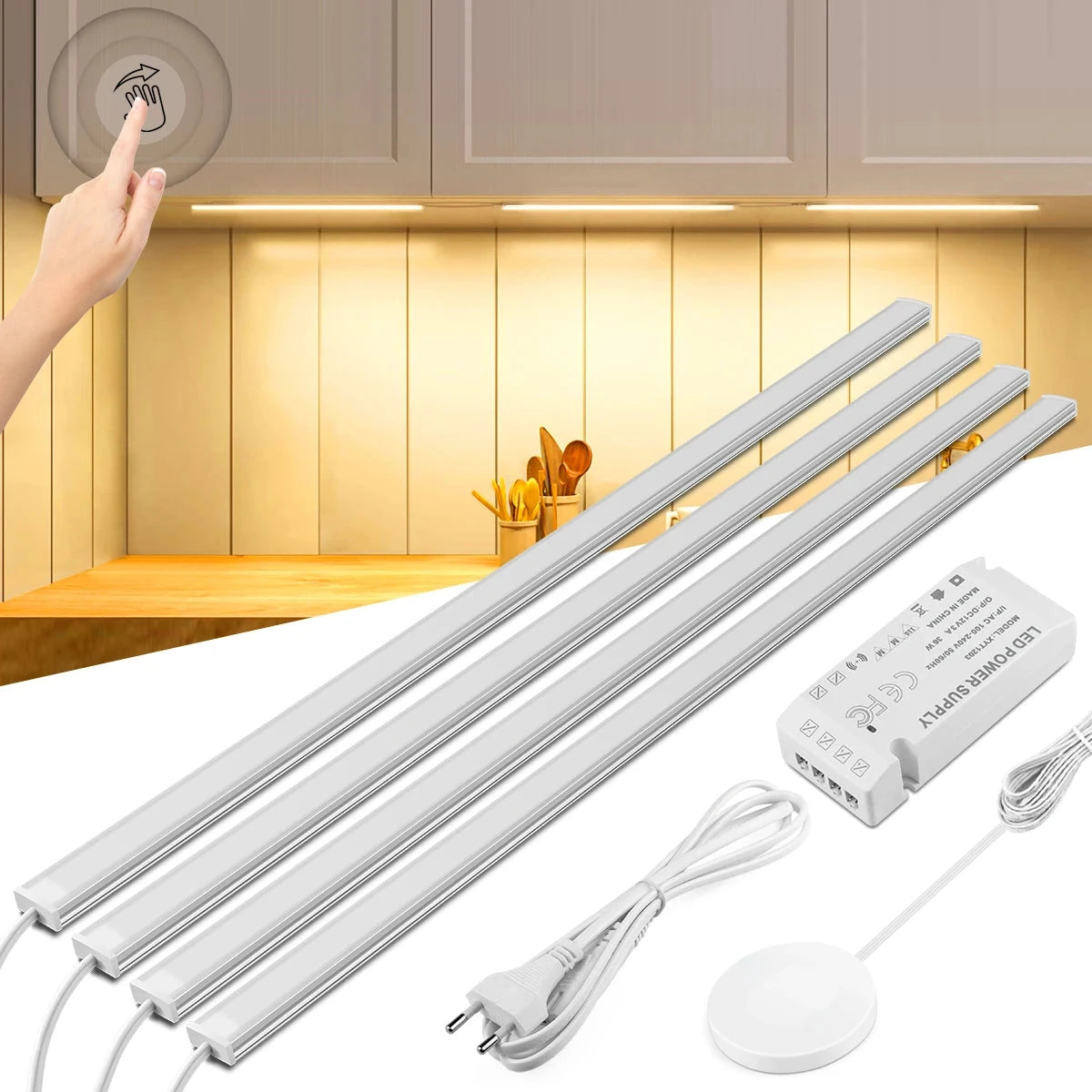
Manual switches are ideal for areas like stovetops or pantries, where lighting needs to stay on for extended periods. The Touch & Hand Sweep Sensor Under Cabinet LED Light Bar offers an alternative with manual control via touch or hand sweep, allowing you to keep the light on when needed without worrying about motion sensors. Its ultra-thin design (7mm) makes it perfect for tight spaces, while the no-drill installation ensures an easy setup, giving you flexible, precise control over your kitchen lighting.
Hybrid Solutions: Combining Motion Sensors and Manual Switches
Many kitchens benefit from mixed control—manual for task‑heavy zones and sensors for guidance. Local overrides keep response predictable while preserving hands‑free convenience.
- Manual for stovetops and long prep; sensors for under‑cabinet and paths.
- Use local automations and ambient thresholds to prevent daytime over‑lighting.
- Favor a single control technology per run to keep dimming stable.
💬 Lumaz stands for effortless, flexible kitchens—manual precision where you need it, motion‑tuned guidance everywhere else.
When pursuing efficiency targets, consult local codes; CEC Title 24 offers control expectations that align with occupancy‑based strategies.
Frequently Asked Questions (FAQs)
Will motion sensors be annoying in busy kitchens?
Tune sensitivity and delays; use presence sensing in prep zones and motion near sinks to avoid rapid toggling.
Do I need the internet for kitchen motion lighting?
No. Local sensors and controllers trigger autonomously; cloud layers add convenience for app and voice control.
How do I avoid false triggers?
Mount away from windows and corridors; trim sensitivity and adjust angles. Keep pet paths outside detection cones.
Can smart switches replicate sensor convenience?
Smart switches add schedules and scenes but still require touch; sensors handle hands‑free guidance when you move.
What standards support efficiency in kitchen lighting?
Energy programs emphasize reduced runtime via occupancy control; see ENERGY STAR and CEC Title 24 for context.
Conclusion: Making the Best Choice for Your Kitchen
If hands‑free convenience and energy efficiency lead, choose sensors near sinks and under‑cabinets. If long, precise sessions dominate, manual switches offer reliable control. Most kitchens thrive with hybrid control.
- Align detection cones and delays to movement patterns.
- Use ambient thresholds to reduce daytime runtime.
- Keep scenes consistent across fixtures for a calm routine.
Further Reading
Explore the full guide for this topic: Complete Guide to Smart Under Cabinet Lighting: Controls, Sensors & Automation
















 />
/>
 />
/>
 />
/>
 />
/>
 />
/>