

Desk & Workspace Lighting: Improving Productivity with Under-Shelf LEDs
Table of Contents
- Importance of Proper Desk & Workspace Lighting
- Best LED Fixtures for Desk and Workspace Lighting
- Key Factors to Consider When Choosing Desk Lighting
- How to Optimize Light Distribution in Desk & Workspace Areas
- Best Color Temperature and Brightness for Office Workstations
- Desk Lighting Solutions for Small or Compact Workspaces
- Integrating Task and Ambient Lighting for Desk Spaces
- Motion Sensor Desk Lighting: Enhancing Convenience and Efficiency
- How to Install Under-Shelf LED Lights for Desks & Workspaces
- FAQs on Desk & Workspace LED Lighting
- Conclusion
Importance of Proper Desk & Workspace Lighting
Good desk lighting improves focus, reduces eye strain, and enhances visual clarity. Balanced illuminance and color quality create a comfortable, productive environment for reading, typing, and design tasks.
- Improve accuracy on close-range tasks like reading labels, inspecting parts, or writing.
- Reduce contrast fatigue by balancing task and ambient layers near monitors.
- Support longer sessions through low flicker, high CRI, and uniform distribution.
🧑💻 “Swapping a harsh desk lamp for diffused under-shelf LEDs cut eye strain in half. My keyboard and notebook are evenly lit, and I don’t fight glare on the monitor anymore.”
Best LED Fixtures for Desk and Workspace Lighting
Choose fixtures that deliver controlled, uniform light where you work. Under-shelf bars, high-density strips, and adjustable desk lamps fit most layouts and budgets.
- Under-shelf LED bars: slim housing with integrated diffuser for even coverage.
- LED strips in channels: flexible length with frosted lenses to prevent hotspots.
- Adjustable desk lamps: targeted beams; best for single-point tasks and mobile setups.
| Fixture Type | Beam/Optics | Typical Output | Install Complexity | Best Use |
|---|---|---|---|---|
| Under-shelf LED bar | Front-aimed, diffused | 300–800 lumens | Low–Medium | Permanent desks; uniform coverage |
| LED strip + channel | Diffuse lens, wide spread | 200–600 lumens/foot | Low | Custom lengths; continuous runs |
| Adjustable desk lamp | Narrow beam, focusable | 300–700 lumens | Low | Portable task work; shared desks |
Key Factors to Consider When Choosing Desk Lighting
Pick lamps and bars based on output, optics, color quality, and physical profile. Align choices with your desk layout, monitor position, and work type.
- Illuminance: target 30–50 footcandles on the work surface for clear readability.
- CRI: choose ≥ 90 for accurate color and higher contrast for print and craft.
- Optics: diffused lenses to avoid glare on glossy notebooks or monitor glass.
- Flicker and dimming: low flicker drivers and smooth dimming for comfort.
- Form factor: low-profile under-shelf units keep sightlines clear and uncluttered.
How to Optimize Light Distribution in Desk & Workspace Areas
Uniform distribution prevents hard shadows and reduces eye fatigue. Use front-aimed under-shelf fixtures and keep gaps minimal to ensure continuous coverage.
- Placement: mount under-shelf bars 1–2 inches behind the front edge to spread light forward.
- Continuity: avoid diffuser gaps > 1 inch between segments to prevent shadow bands.
- Monitor coordination: angle beams away from screens to reduce veiling reflections.
- Contrast: balance task and ambient layers to keep ratios near 2:1.
- Map work zones: keyboard, notebook, reference prints, tool area.
- Size fixtures to zone width; prioritize uniform lines over multiple points.
- Tune dimming for day vs night scenes; minimize spill on screens.
- Test with glossy surfaces; adjust angle or diffuser to cut glare.
Best Color Temperature and Brightness for Office Workstations
Choose neutral-warm color for comfort and clarity. Set brightness to meet task needs while preserving ambient balance.
- Color temperature: 3000–4000K; 3000–3500K for cozy clarity; 4000K for crisp white.
- Task illuminance: 30–50 footcandles on the main work surface.
- Ambient: 10–20 footcandles to prevent harsh contrast around screens.
- Color quality: CRI ≥ 90 for print/design; CRI ≥ 80 acceptable for general typing.
Desk Lighting Solutions for Small or Compact Workspaces
Compact desks need slim fixtures and careful placement. Maintain clear sightlines, avoid clutter, and use modular segments to fit tight shelves.
- Low-profile under-shelf bars (≤ 0.8 inches) keep the view clean.
- Short segments bridge gaps over monitor arms or shelf brackets.
- Cable management clips and channels maintain tidy runs.
- Rechargeable bars support drill-free installs for rentals and hot desks.
💡 Smart lighting means smart savings. With Lumaz LEDs, you get superior energy efficiency, lower bills, and a lifespan that makes the math work brilliantly for you.
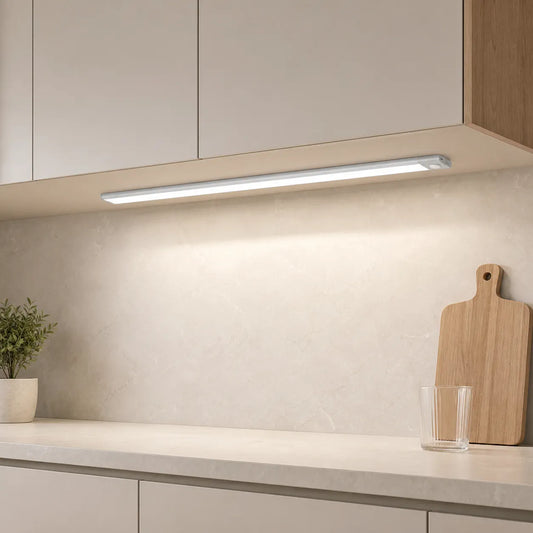
For small or compact workspaces, making the most of every inch of space is crucial. The 2500mAh Rechargeable Under Cabinet LED Light Bar with its compact design and three-color light settings is perfect for providing even illumination in limited desk or workspace areas, saving space while offering versatile lighting options.

Integrating Task and Ambient Lighting for Desk Spaces
Layer task lights with ambient to manage contrast and support comfort. Keep color temperature consistent and coordinate dimming for smooth scene changes.
- Task vs ambient ratio: aim near 2:1 so the desk stands out without glare.
- Coordinate CCT: match 3000–3500K across fixtures to avoid “two-tone” whites.
- Use indirect ambient (uplight or wall wash) to soften the room’s brightness bands.
- Link dimmers so task and ambient adjust together.
Motion Sensor Desk Lighting: Enhancing Convenience and Efficiency
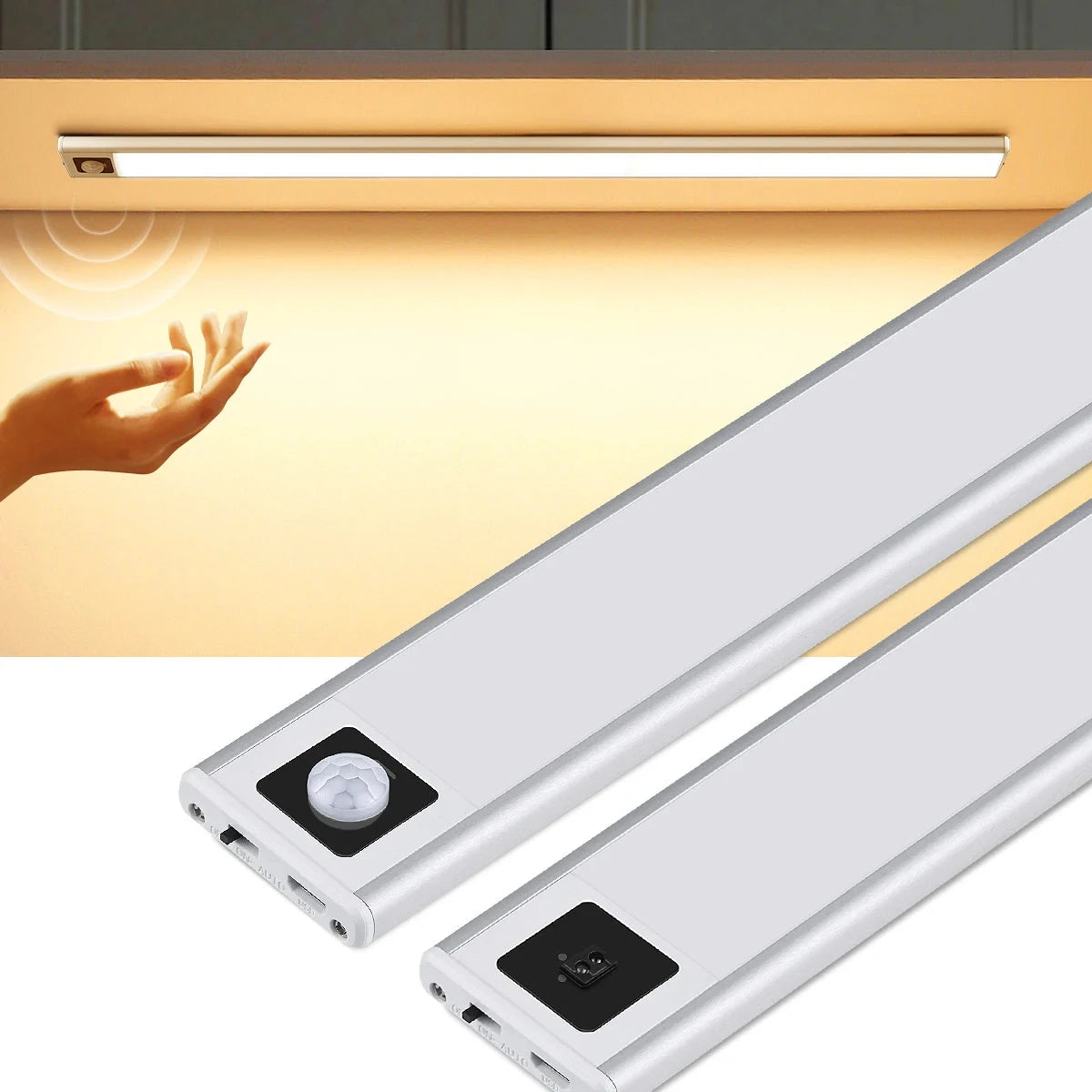
Motion sensors enable hands-free activation and energy savings at shared or busy workstations. Tune sensitivity and delay to fit traffic patterns.
- Activation: PIR or microwave sensors; vacancy mode avoids false triggers near seating.
- Delay: 30–120 seconds keeps guidance on briefly; longer for intermittent tasks.
- Placement: aim across typical approach paths; avoid direct line of sight to windows.
- Integration: pair sensors with dimming memory for day/night presets.
| Aspect | Motion Sensor | Manual Switch |
|---|---|---|
| Convenience | Hands-free; great for shared desks | Deliberate control; personal desks |
| Energy | Auto-off; lower standby time | User-dependent; may stay on |
| False triggers | Possible near walkways | None |
| Install | Low–Medium | Low |
For a clutter-free and efficient workspace, motion sensor desk lighting can be a game-changer. The Ultra-Thin Under Cabinet LED Light Bar with its USB rechargeable feature and smart sensor provides hands-free control, illuminating your desk area automatically as you approach, making it an ideal solution for seamless productivity.
How to Install Under-Shelf LED Lights for Desks & Workspaces
Under-shelf LEDs install quickly with channels and low-profile brackets. Plan cable paths, measure lengths carefully, and test dimming before final mounting.
- Measure shelf width and mark mounting points 1–2 inches from the front edge.
- Cut or select bar/strip lengths to minimize gaps; avoid diffuser breaks > 1 inch.
- Mount channels or brackets; route cables neatly along undersides with clips.
- Connect drivers and dimmers; test scenes for day vs night before securing.
- Label presets and document lumen density and CCT for future reference.
FAQs on Desk & Workspace LED Lighting
What brightness should I target on the desk surface?
Use 30–50 footcandles for reading and typing; dim lower for screen-heavy work to reduce contrast.
Which color temperature is best for long sessions?
3000–3500K balances clarity and comfort. 4000K feels crisper but may be too cool for evening work.
How do I prevent glare on my monitor?
Angle beams away from the screen, use diffused optics, and keep ambient ratios around 2:1 to manage contrast.
Can I add LEDs without drilling the shelf?
Yes. Use magnetic bars or adhesive channels; secure cables with clips for a clean install.
Do I need high CRI for desk work?
For design, print, and craft, choose CRI ≥ 90. For general typing and browsing, CRI 80–90 is acceptable.
Are motion sensors useful at a personal desk?
They help in shared or pass-through areas. At personal desks, a simple dimmer and local switch may be more predictable.
Conclusion
Proper desk and workspace lighting is key to boosting productivity and comfort. By selecting the right LED fixtures, optimizing light distribution, and adjusting color temperature, you can create a well-lit, efficient environment. Integrating task and ambient lighting, along with convenient features like motion sensors, ensures your workspace supports focus and reduces eye strain, ultimately enhancing your workday experience.
Further Reading
Explore the full guide for this topic: Under Cabinet Lighting for Any Home Space: Kitchens, Shelves, Desks, and Cabinets














 />
/>
 />
/>
 />
/>
 />
/>
 />
/>